Generate smart and professional marketing presentations using Marketing Tactics Plan Chart Design for PowerPoint. The PowerPoint template highlights on strategy compare and contrast. The colorful and flexible shapes can surely capture global audiences.
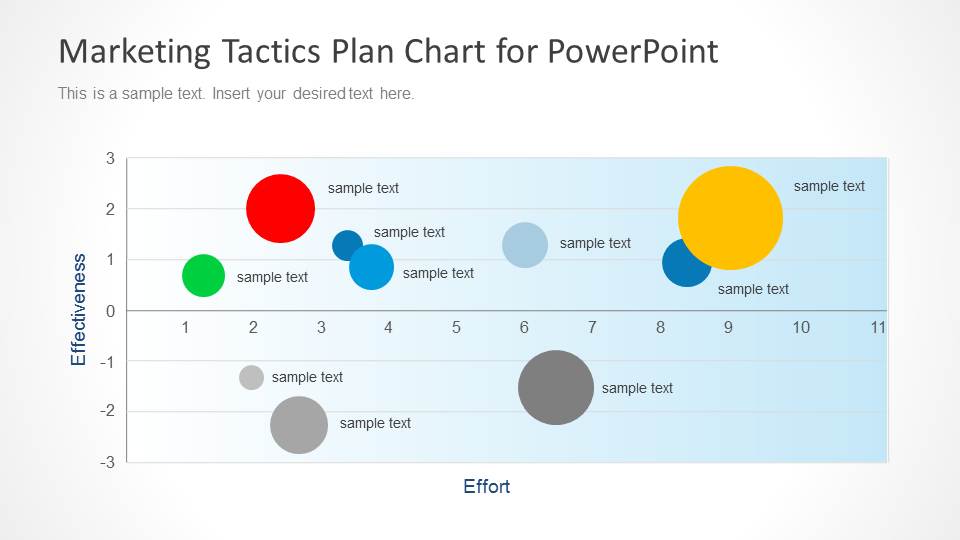
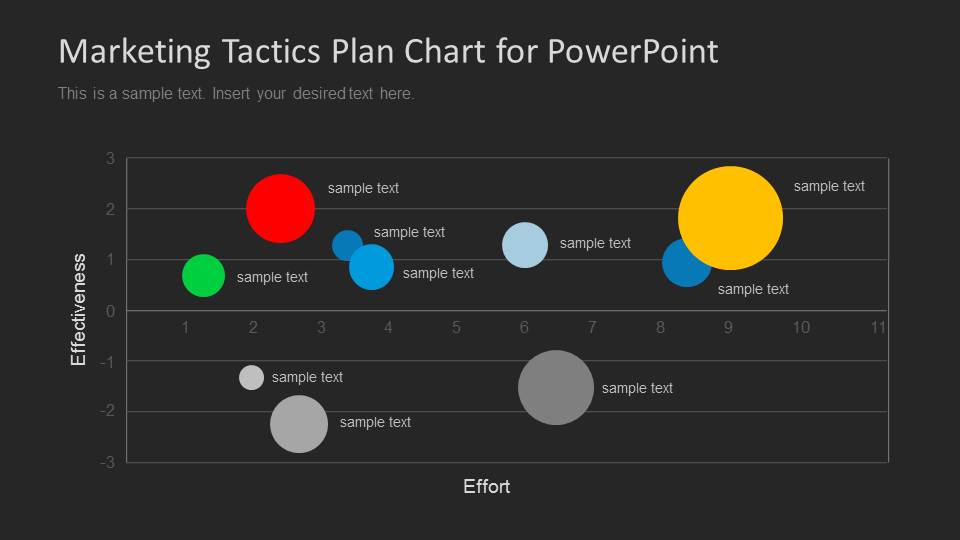
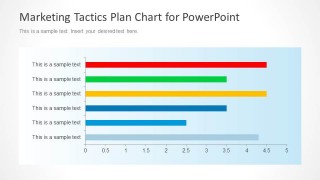
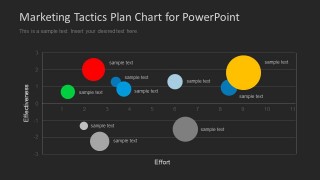
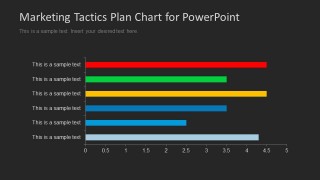
The slide designs contain a variation of background colors- white and black. In the first slide, there is a graph of effectiveness against effort. The user can find colored circles of different sizes spread within the diagram. Each circle shape can represent a marketing tactic. The size can be proportional to its effectiveness and efficiency. Text placeholders are set beside each PowerPoint shape where the presenter can write corresponding labels. The second slide features a horizontal bar graph. Each bar can depict the ability of a strategy to raise sales and profit. In the x axis (horizontal grid), quantitative values are given. On the y axis, there are text boxes where the user can enter strategy titles.
Marketing tactics refer to marketing approaches or strategies that a business can take. They are a list of options that the company can experiment with and analyze. Each tactic has its pros and cons that can be weighed accordingly. After that, values that correspond to a total after important factors like effectiveness, efficiency, cost, time constraint, and many others have been examined. Audience is also something that can impact on the approach of a business. Other aspects like culture, economy and demand and supply are external forces that can affect one’s marketing strategy.
The PowerPoint diagram is ideal for marketing strategic analysis presentations. It allows the speaker to develop quality graphs that can compare multiple tactics towards marketing. Sales planning is directly related to marketing which makes it another perfect subject matter.
Develop high-standard marketing strategy presentations with Marketing Tactics Plan Chart Design for PowerPoint. Discover and download Go To Market Strategy PowerPoint Template from the SlideModel gallery.
What’s inside this template
Example presentation scenarios
- A marketing manager can use the bubble chart to compare proposed tactics by effort and effectiveness before choosing which campaigns to fund.
- A sales leader can use the horizontal bar chart to rank tactics by expected contribution to sales or profit during a planning meeting.
- A consultant can present light and dark chart versions to match a client-facing strategy review while keeping the same tactic comparison structure.
- A growth team can use the bubble size, position, and labels to discuss which experiments deserve more budget, staffing, or follow-up analysis.
Features
- 100% editable presentation template
- Compatible with Microsoft PowerPoint and Google Slides
- 16:9 aspect ratio slides
- Scalable vector shapes, icons and illustrations
- Data-driven charts, editable in Microsoft Excel
- AI-Ready for Microsoft Copilot and Claude
- Instant access and download
Frequently asked questions
Q: How should a presenter explain the bubble chart so the audience understands the tradeoff quickly?
A: Start by defining the axes before discussing individual tactics: effort runs horizontally and effectiveness runs vertically. Then group bubbles into simple decision zones, such as high impact with low effort or low impact with high effort. Use bubble size only after the audience understands position, so the chart supports prioritization instead of becoming a color-coded list.
Q: Who is this template best suited for in a marketing planning discussion?
A: It fits presenters who must compare options, not simply describe a campaign. Marketing managers, growth leads, sales planners, and consultants can use the bubble chart to frame strategic tradeoffs and the bar chart to rank final recommendations. It works best when several tactics compete for limited budget, time, or team capacity.
Q: Why include both bubble charts and horizontal bar charts in the same tactics plan?
A: The two chart types serve different thinking tasks. The bubble chart shows relative position, making it useful for debate and discovery. The horizontal bar chart gives a cleaner ranking, which helps close the discussion with a short list of preferred tactics. Together, they move the audience from comparison to decision.


Marketing Tactics Plan Chart Design for PowerPoint
4-slide presentation template for marketing tactics planning with bubble charts and horizontal bar charts.
Marketing Tactics Plan Chart Design for PowerPoint is a 4-slide data chart template for comparing marketing tactics by effort, effectiveness, and ranked scores. It includes light and dark bubble chart layouts plus horizontal bar chart layouts for strategy prioritization, built for marketers, sales planners, and business teams in PowerPoint and Google Slides.
- Category
- Data & Charts
- Rating


 Loading...
- Aspect ratio
- 16:9
- Item ID
- 6113-01
- Colors
 Microsoft PowerPoint
  Microsoft Copilot
  Claude for PowerPoint
 Other formats supported
Subscribe today and get immediate
access to download our PowerPoint templates.