Slide 4 of 14 from Key Customer Onboarding PowerPoint Template
Your Success Plan PPT Slide – Key Customer Onboarding Layout
Success Plan Stages Overview
- Diagram
- Arrow Sequence
- Process Slide
- 16:9
- 100% Editable
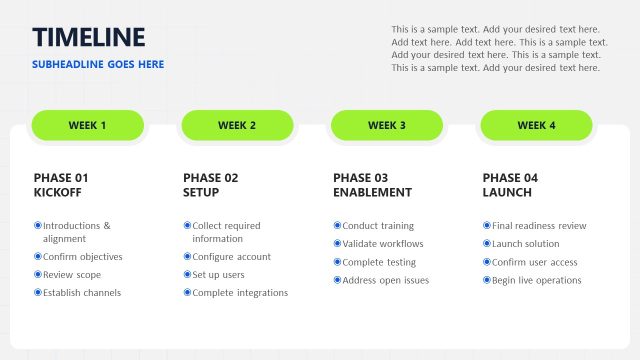
The Success Plan Stages slide from the Key Customer Onboarding PowerPoint Template provides a clear visual flow diagram to outline phased onboarding processes. This slide template is designed for business presentations focused on customer onboarding, project updates, and team alignment, featuring editable slides with labeled phases and outcome sections for effective communication in corporate presentations.
What’s on This Slide
The layout features a horizontal flow diagram with four phases labeled 'Phase 01' through 'Phase 04' positioned evenly across the top. Each phase has a corresponding text box below it for descriptions, with 'Goal Alignment' under Phase 01, 'Platform Configuration' under Phase 02, 'User Enablement' under Phase 03, and 'Go-Live & Adoption' under Phase 04. A bold title at the top reads 'Your Success Plan,' with a subheading placeholder beneath it. A colored section at the bottom contains a placeholder for 'Outcome' text. The overall color scheme includes shades of blue and orange.
How to Use It
This layout serves as a sequential process overview, ideal for presenting a customer onboarding success plan. It fits well after introductory slides that outline objectives and before detailed implementation steps. This structure is useful for business scenarios where teams need to communicate phased approaches to onboarding, ensuring clarity in each stage's purpose and expected outcomes. It can be used in meetings to align stakeholders on onboarding strategies.
Text Placeholders & Capacity
Keep your copy within these limits so it fits without resizing. Node body slots can hold about 15-20 words each.
| Placeholder | Count | Max characters (approx.) |
|---|---|---|
| Slide title | 1 | 30 |
| Subtitle | 1 | 50 |
| Item heading | 4 | 20 |
| Item body | 4 | 100 |
| Callout | 1 | 50 |
Slide Keywords
Download unlimited PowerPoint templates, charts and graphics for your presentations with our annual plan.
DOWNLOADReturn to Key Customer Onboarding PowerPoint Template.