Slide 7 of 14 from Key Customer Onboarding PowerPoint Template
Getting Started Checklist Slide – Key Customer Onboarding PPT Template
Getting Started Checklist Slide
- Text Layout
- Other
- Process Slide
- 16:9
- 100% Editable
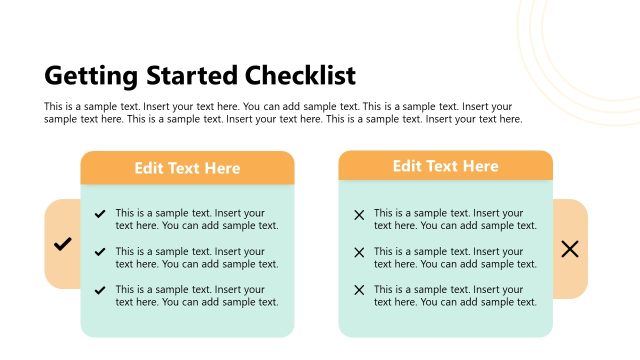
The Getting Started Checklist slide from the Key Customer Onboarding PowerPoint Template provides a clear, structured layout ideal for onboarding processes and project kick-offs. This slide uses editable shapes and a two-column format to outline essential steps, making it suitable for business presentations and training sessions that require a detailed process overview.
What’s on This Slide
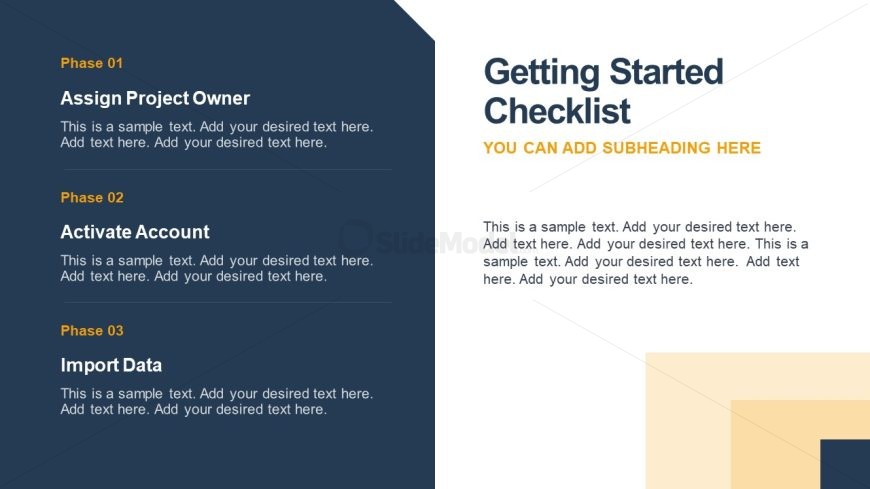
The slide features a two-column layout. The left column contains three distinct phases, each labeled with a phase number and title. The first phase is 'Assign Project Owner,' followed by 'Activate Account,' and 'Import Data.' Each phase has a text placeholder for additional details, aligned to the left. The right column includes a title 'Getting Started Checklist' prominently at the top, with a subheading placeholder below it. The background is a combination of dark blue and light beige shapes, creating a structured visual hierarchy.
How to Use It
This layout serves as a checklist format, ideal for outlining steps in a process. It fits well in a presentation sequence after introducing key concepts or project goals. This structure is useful for onboarding sessions, project kick-offs, or training programs, where clear, actionable steps are necessary for audience understanding and engagement. It can also be adapted for progress tracking in various business scenarios.
Text Placeholders & Capacity
Keep your copy within these limits so it fits without resizing. Node body slots can accommodate roughly 30-40 words each.
| Placeholder | Count | Max characters (approx.) |
|---|---|---|
| Slide title | 1 | 30 |
| Subtitle | 1 | 30 |
| Item heading | 3 | 25 |
| Item body | 3 | 150 |
Slide Keywords
Download unlimited PowerPoint templates, charts and graphics for your presentations with our annual plan.
DOWNLOADReturn to Key Customer Onboarding PowerPoint Template.