Slide 1 of 1 from Key Challenges Strategy Outcome PowerPoint Template
Editable Key Challenges Strategy Outcome PPT Template
Key Challenges Strategy Outcome Slide
- Diagram
- Comparison Split
- Strategic Analysis Slide
- 16:9
- 100% Editable
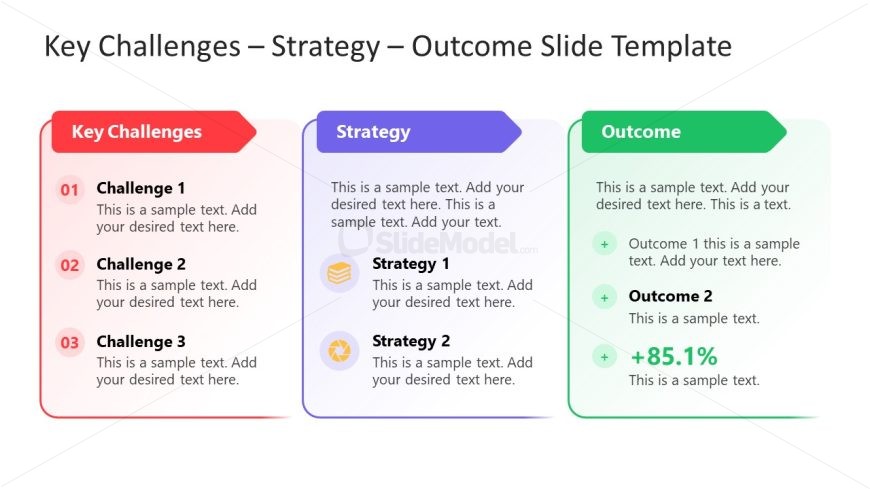
The Key Challenges Strategy Outcome slide layout from the Key Challenges Strategy Outcome PowerPoint Template offers a structured comparison split diagram ideal for strategic planning and management presentations. This slide design enables clear visualization of business challenges, corresponding strategies, and measurable outcomes using editable shapes and vector icons. It supports problem-solving sessions by facilitating a concise overview within a professional slide deck or corporate presentation.
What’s on This Slide
The layout consists of three vertical columns labeled 'Key Challenges,' 'Strategy,' and 'Outcome.' The left column features a red background with three numbered challenge items, each accompanied by a text placeholder for details. The center column has a blue background, containing two strategy items, each with an icon and text placeholders. The right column displays a green background with outcome items, including a percentage highlight and text placeholders. Each column is visually distinct, with clear headings and structured content areas.
How to Use It
This layout serves to present business challenges alongside corresponding strategies and expected outcomes. It is suitable for management presentations, strategic planning discussions, or problem-solving sessions. The structure allows for easy comparison and tracking of challenges, strategies, and results. It fits well at the beginning of a presentation to set the stage for deeper analysis or as a summary slide to encapsulate key points.
Text Placeholders & Capacity
Keep your copy within these limits so it fits without resizing. Body slots can accommodate several lines of text, roughly 10-15 words each.
| Placeholder | Count | Max characters (approx.) |
|---|---|---|
| Slide title | 1 | 30 |
| Item heading | 3 | 20 |
| Item body | 6 | 50 |
| Item heading | 2 | 20 |
| Item body | 4 | 50 |
| Item heading | 1 | 20 |
| Item body | 3 | 50 |
Slide Keywords
Download unlimited PowerPoint templates, charts and graphics for your presentations with our annual plan.
DOWNLOADReturn to Key Challenges Strategy Outcome PowerPoint Template.