Slide 6 of 17 from Infotainment PowerPoint Template
Key Facts at a Glance – Infotainment PowerPoint Slide Layout
Key Facts at a Glance Slide
- Text Layout
- Other
- Context Slide
- 16:9
- 100% Editable
The Key Facts at a Glance slide from the Infotainment PowerPoint Template offers a structured layout ideal for summarizing main concepts, essential statistics, and key benefits in business presentations. This slide template features editable shapes and sections to highlight challenges and future opportunities, making it a practical choice for corporate presentations and pitch deck templates that require clear and concise information delivery.
What’s on This Slide
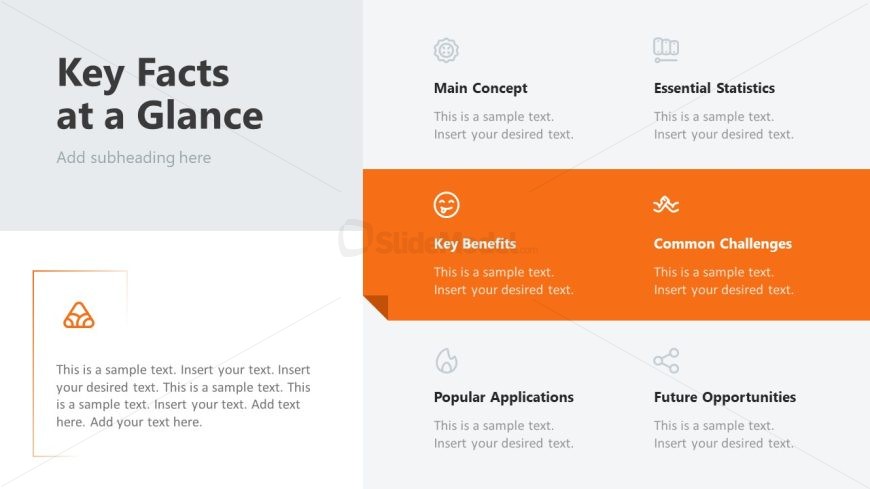
The layout features a large title at the top left, with a subtitle placeholder below it. To the right, three sections are arranged vertically, labeled 'Main Concept,' 'Essential Statistics,' and 'Key Benefits.' Each section contains a text placeholder aligned to the left. Below these, a prominent orange section titled 'Common Challenges' is positioned, containing its own text placeholder. At the bottom, two additional sections labeled 'Popular Applications' and 'Future Opportunities' are present, each with text placeholders. The overall composition uses a light gray background with an orange accent.
How to Use It
This layout serves as an overview slide, summarizing key information in a structured format. It fits well after introductory slides, providing essential insights into a topic. Ideal for business presentations, it can be used to highlight main concepts, benefits, and challenges of a product or service. This format is effective for engaging audiences by presenting critical information at a glance, making it suitable for both educational and corporate contexts.
Text Placeholders & Capacity
Keep your copy within these limits so it fits without resizing. Node body slots can hold about 20 words each.
| Placeholder | Count | Max characters (approx.) |
|---|---|---|
| Slide title | 1 | 30 |
| Subtitle | 1 | 40 |
| Item body | 5 | 120 |
Slide Keywords
Download unlimited PowerPoint templates, charts and graphics for your presentations with our annual plan.
DOWNLOADReturn to Infotainment PowerPoint Template.