Slide 11 of 17 from Infotainment PowerPoint Template
Audience Poll Results Presentation Slide – Infotainment Template
Poll the Audience Slide for Presentations
- Chart
- Bar Vertical
- Evaluation Slide
- 16:9
- 100% Editable
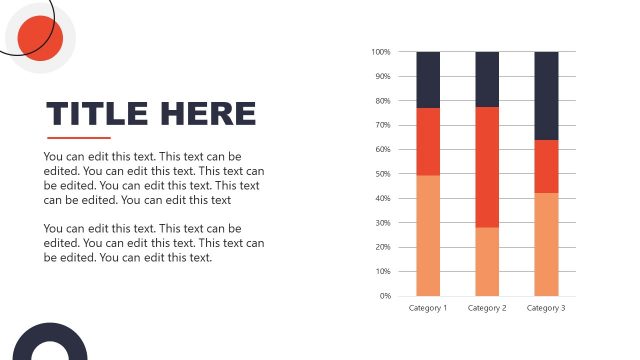
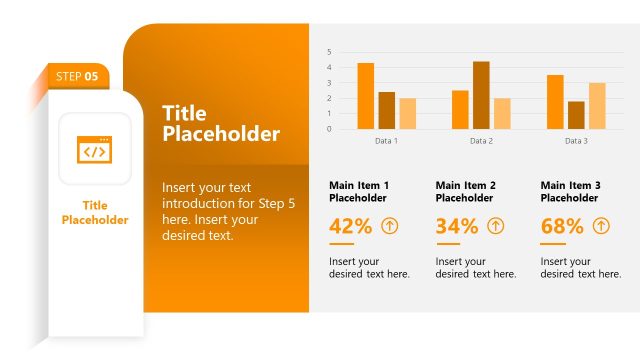
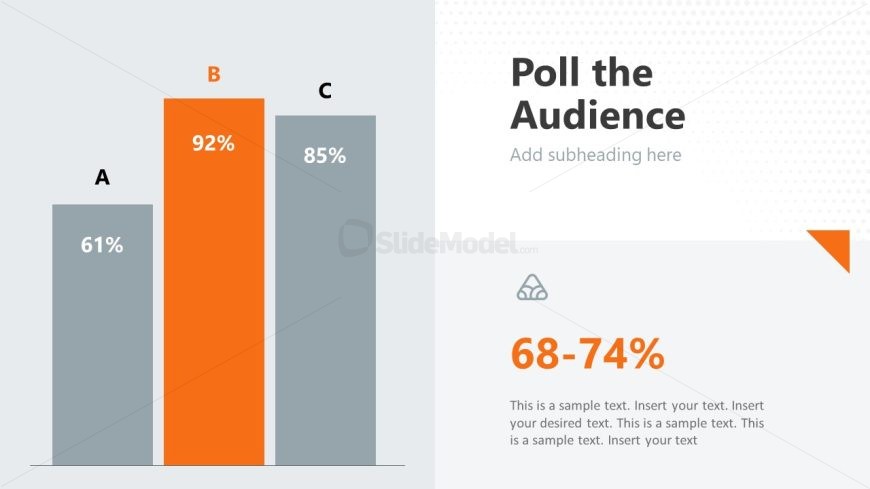
The Poll the Audience slide from the Infotainment PowerPoint Template offers a vertical bar chart layout ideal for presenting survey results and audience feedback. This slide template supports clear data comparison and engagement in business presentations or pitch decks, featuring editable shapes and a structured design that enhances communication of polling insights.
What’s on This Slide
The slide features a vertical bar chart positioned on the left side, displaying three bars labeled A, B, and C. Bar B is highlighted in orange, indicating a value of 92%, while bars A and C show values of 61% and 85%, respectively. To the right, there is a large title placeholder at the top with the text 'Poll the Audience' and a smaller subtitle placeholder below it. At the bottom right, a text box displays a percentage range of 68-74% along with additional text placeholders for content. The background is light gray with subtle patterns.
How to Use It
This layout serves as a data visualization tool, effectively presenting audience polling results. It fits well in a presentation sequence after discussing a question or topic, allowing for audience engagement feedback. This slide is suitable for scenarios such as surveys, feedback sessions, or interactive presentations where audience participation is highlighted. It can also be used to compare different options or responses in a clear and organized manner.
Text Placeholders & Capacity
Keep your copy within these limits so it fits without resizing. Body slots are tight, roughly 25 words each.
| Placeholder | Count | Max characters (approx.) |
|---|---|---|
| Slide title | 1 | 30 |
| Subtitle | 1 | 50 |
| Item heading | 3 | 5 |
| Item body | 3 | 5 |
| Body paragraph | 1 | 150 |
Slide Keywords
Download unlimited PowerPoint templates, charts and graphics for your presentations with our annual plan.
DOWNLOADReturn to Infotainment PowerPoint Template.