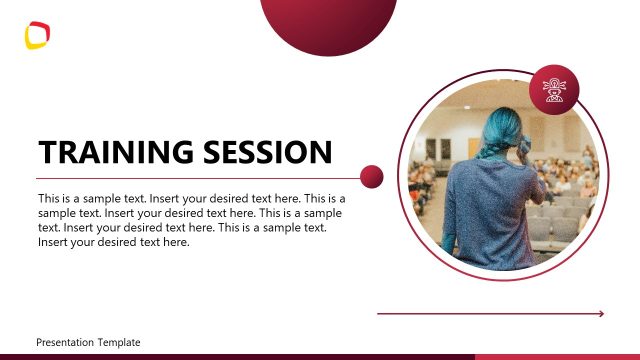
The Immersion Program PowerPoint Template is an editable slide deck for presenting the details of an immersion program covering the major aspects of learning objectives, expectations, outcomes, and success stories. An immersion program is a unique educational experience that aims to teach a new language in an environment where that language is spoken as a primary language. Such programs are initiated to prepare people to be accommodated in a foreign environment where everyone speaks their native language. In this PPT template, we have provided engaging slides to discuss any immersion program from start to end. The backgrounds, images, and color scheme can be changed based on the required theme.
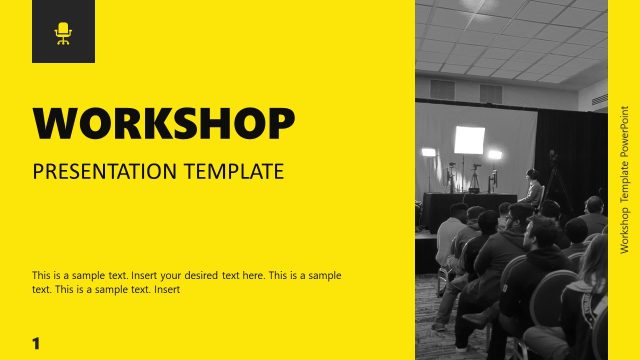
The first slide of this Immersion Program PowerPoint Template showcases the program’s title or presentation using a relevant image on the right part of the slide. The next slide presents the program overview with meaningful icons on it. The learning objectives slide is the following one, and it has a dark-colored portion with text boxes and icons to display the key learning objectives. This slide can especially be used to display what the program offers and how it can impact the attendees’ experiences in the future. Likewise, the program schedule slide helps understand the outline of the program, and the key components slide is added to present the details of the core curriculum and workshops. This PPT template further provides useful slides for presenting the
- Features of immersion environment in the form of key points
- Introduction of the instructors with their designation and experiences
- Participant expectations (relevant to engagement and diversity)
- Assessment & Feedback
- Cultural and Contextual Insights
- Success stories and case studies
Presenters can easily edit the provided text boxes and customize the template for their use case. Alternatively, you can try our collection of education powerpoint presentation slides to choose the best-fit design for their topic. The template is editable with all PowerPoint versions. Try it now!
What’s inside this template
Example presentation scenarios
- A language program director can use the learning objectives slide and cultural insights cards to explain what participants will practice and how the experience supports adaptation.
- A corporate training manager can present the program schedule timeline and key components slide to brief employees before a skills development immersion workshop.
- An education coordinator can use the facilitator introduction slide and participant expectations slide to build trust, clarify behavior standards, and reduce uncertainty before the program starts.
- A nonprofit program lead can use the success stories or case studies slide and closing next steps slide to summarize outcomes and ask funders or partners for continued support.
Features
- 100% editable presentation template
- Compatible with Microsoft PowerPoint
- 16:9 aspect ratio slides
- Scalable vector shapes, icons and illustrations
- AI-Ready for Microsoft Copilot and Claude
- Instant access and download
Frequently asked questions
Q: How should a presenter structure the message with this immersion program deck?
A: Start with the title, overview, and learning objectives to define the purpose before showing logistics. Use the schedule timeline and key components slides to make the experience concrete, then move into expectations, assessment, and contextual insights. Close with the case study and next steps so the audience sees both the method and the follow-up path.
Q: Who is this template best suited for, and what decision does it support?
A: This template fits program coordinators, instructors, training managers, and learning and development teams who need to brief participants or stakeholders before an immersion experience. It is strongest when the decision is about readiness: what learners will do, who will guide them, how progress will be assessed, and what happens after the program.
Q: Why do the timeline, cards, and circular photos work well for an immersion topic?
A: Immersion programs can feel abstract until the audience sees the path. The curved schedule timeline gives a sense of movement through the experience, while card layouts break objectives, environment factors, and cultural insights into manageable points. Circular photos add a human setting without competing with the instructional text.


Immersion Program PowerPoint Template
12-slide presentation template for immersion training programs, learning objectives, and participant schedules
The Immersion Program PowerPoint Template is a 12-slide Microsoft PowerPoint deck for explaining an educational or training immersion program. It includes a cover, program overview, learning objectives, curved schedule timeline, key components, facilitator introduction, participant expectations, assessment and feedback, contextual insights, case study, and next steps layouts.
- Category
- Business PowerPoint Templates
- Rating

 Loading...
- Aspect ratio
- 16:9
- Item ID
- 77109-01
- Colors
 Microsoft PowerPoint
 Microsoft Copilot
 Claude for PowerPoint
Other formats supported
Subscribe today and get immediate
access to download our PowerPoint templates.