Slide 4 of 8 from Group Discussions & Team Goals Template for PowerPoint
6135-01-group-discussion-for-common-goal-4
Team, Outsider & Common Goals Slide
- Diagram
- Comparison Split
- Strategy Slide
- 16:9
- 100% Editable
The Team, Outsider & Common Goals slide from the Group Discussions & Team Goals Template for PowerPoint visually compares individual roles, shared objectives, and group dynamics using editable shapes and vector icons. This slide layout supports business presentations focused on collaboration strategy and team alignment, making it a practical choice within slide templates designed for effective pitch decks and corporate presentations.
What’s on This Slide
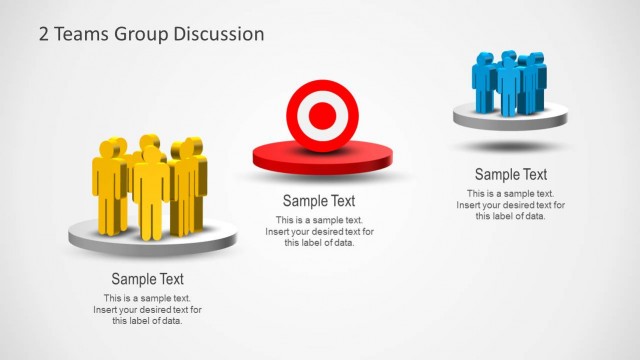
The layout features three distinct circular platforms aligned horizontally. On the left, a yellow figure represents an individual, centered on a light gray circular base. The middle section contains a red target symbol on a red circular base, emphasizing a common goal. On the right, a group of four blue figures stands on a similar circular base. Each section includes a text placeholder below for labeling data, aligned centrally. The background is a subtle gradient, enhancing the visual separation of elements while maintaining a cohesive look.
How to Use It
This layout serves as a comparison tool, illustrating the relationship between an individual, a common goal, and a group. It fits well in presentations discussing team dynamics, goal alignment, or collaboration strategies. Ideal for team-building sessions, it can be used to highlight objectives and roles within a team context, making it suitable for managers and facilitators aiming to foster discussion and engagement among team members.
Text Placeholders & Capacity
Keep your copy within these limits so it fits without resizing. Each label can hold roughly 30 characters, while body text can accommodate around 100 characters.
| Placeholder | Count | Max characters (approx.) |
|---|---|---|
| Item heading | 3 | 30 |
| Item body | 3 | 100 |
Slide Keywords
Download unlimited PowerPoint templates, charts and graphics for your presentations with our annual plan.
DOWNLOADReturn to Group Discussions & Team Goals Template for PowerPoint.