Slide 3 of 12 from Generative AI Training PowerPoint Template
Prompt Engineering Slide for Business Presentation – Gen AI Training Template
Prompt Engineering Slide for AI Training
- Text Layout
- List Blocks
- Concept Explanation Slide
- 16:9
- 100% Editable
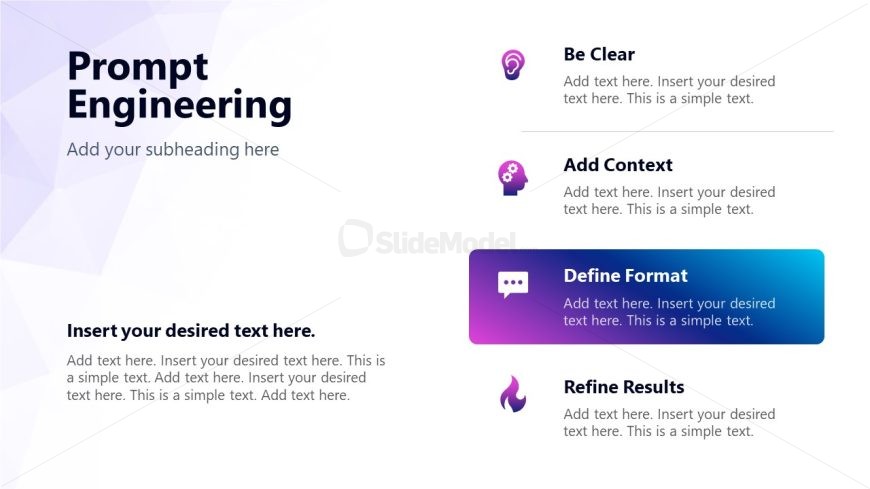
The Prompt Engineering slide from the Generative AI Training PowerPoint Template offers a clear and organized layout ideal for AI training sessions and workshops. This slide template uses editable shapes and vector icons to highlight key concepts such as clarity, context, format definition, and result refinement. It supports corporate presentations and educational slide decks focused on enhancing prompt strategies in AI tool usage.
What’s on This Slide
The layout features a large title at the top left labeled 'Prompt Engineering' with a subtitle placeholder directly beneath it. To the right, there are four distinct sections arranged vertically, each containing an icon and a title. The first section is labeled 'Be Clear,' followed by 'Add Context,' 'Define Format,' and 'Refine Results.' Each section has a text placeholder for additional details. The sections are visually separated by varying background colors, with the 'Define Format' section highlighted in a gradient box. The overall composition is clean and organized, emphasizing clarity and structure.
How to Use It
This layout serves as a structured guide for discussing prompt engineering concepts in a training session. It fits well after introductory slides, providing detailed insights into effective prompt strategies. Scenarios include training sessions for AI tool users, workshops on prompt optimization, or presentations on AI communication techniques. The slide effectively organizes key points and encourages audience engagement through clear visual separation of ideas.
Text Placeholders & Capacity
Keep your copy within these limits so it fits without resizing. Node body slots can hold roughly 20-25 words each.
| Placeholder | Count | Max characters (approx.) |
|---|---|---|
| Slide title | 1 | 30 |
| Subtitle | 1 | 50 |
| Item heading | 4 | 20 |
| Item body | 4 | 120 |
Slide Keywords
Download unlimited PowerPoint templates, charts and graphics for your presentations with our annual plan.
DOWNLOADReturn to Generative AI Training PowerPoint Template.