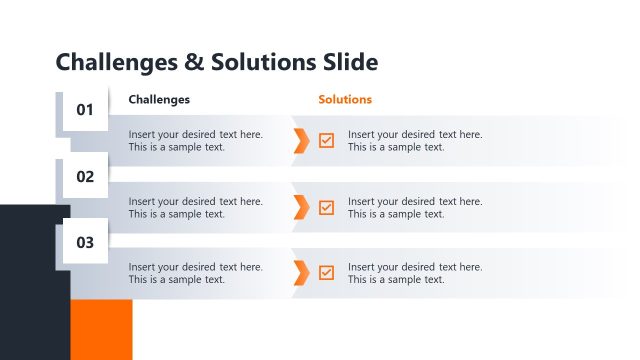
Slide 5 of 12 from Generative AI Training PowerPoint Template
Benefits & Challenges Slide – Generative AI Training Presentation Slide Layout
Benefits & Challenges Slide for AI Training
- Chart
- Other
- Context Slide
- 16:9
- 100% Editable
The Benefits & Challenges Slide from the Generative AI Training PowerPoint Template offers a clear layout for presenting key statistics and insights. Designed for business presentations, this slide template includes editable shapes and vector icons to highlight data effectively, making it suitable for stakeholder meetings and training sessions focused on AI adoption.
What’s on This Slide
The layout features a title at the top left, stating 'Benefits & Challenges Slide,' with a subtitle placeholder directly beneath it. On the right, there are four vertical sections, each containing a percentage and a corresponding label. The first three sections are aligned at the top, while the fourth section is highlighted with a gradient background, emphasizing 'Experience AI.' Below these sections, there is a 'Benefits' header with multiple text placeholders for bullet points. The overall composition is structured with a clear visual hierarchy, using contrasting colors for emphasis.
How to Use It
This layout serves to present key statistics and insights related to benefits and challenges in a structured format. It fits well after a problem-framing slide and before a roadmap, providing a clear overview of critical data. This slide is useful in business contexts where understanding the implications of AI adoption is necessary, such as training sessions, strategy meetings, or stakeholder presentations.
Text Placeholders & Capacity
Keep your copy within these limits so it fits without resizing. Node body slots can accommodate detailed text, roughly 15-20 words each.
| Placeholder | Count | Max characters (approx.) |
|---|---|---|
| Slide title | 1 | 30 |
| Subtitle | 1 | 50 |
| Item heading | 4 | 30 |
| Item body | 4 | 100 |
| Body paragraph | 4 | 150 |
Slide Keywords
Download unlimited PowerPoint templates, charts and graphics for your presentations with our annual plan.
DOWNLOADReturn to Generative AI Training PowerPoint Template.