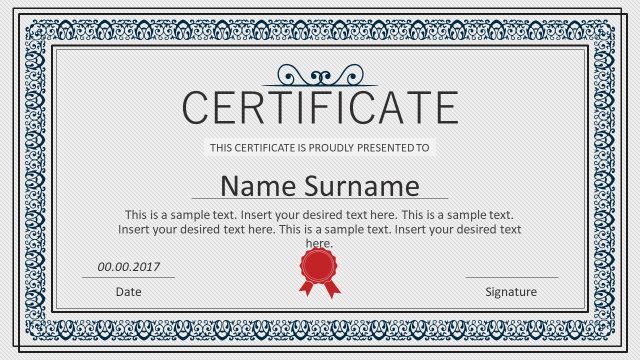
The Formal Certificate PowerPoint Templates is a one slide layout to display achievements. A beige color in background with vintage boarder patterns which gives an antique-look to this certificate template. It is a collection of editable PowerPoint shapes, icons, and text placeholders. These elements could be easily customized and multiply for more certificates. For example, change the color of boarders and patterns to personalize the layout. Similarly, modify the text in placeholders and resize them as required.
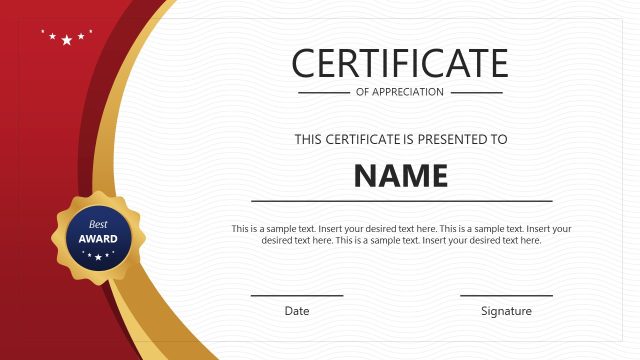
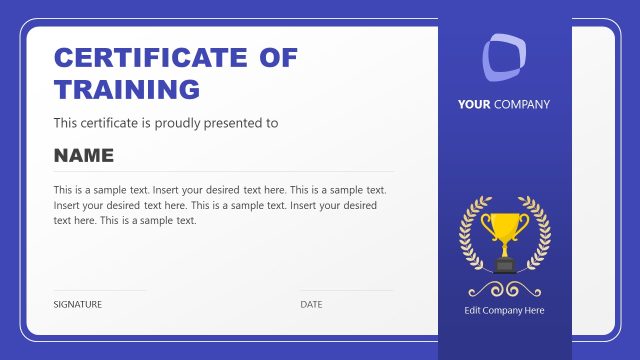
The Formal Certificate PowerPoint Templates is intended for providing certificates and acknowledge achievements of individuals. Alternatively, download a polished design certificate in PowerPoint for the modern look of presentation.
Also, check our article about how to generate certificates with PowerPoint & VBA.
What’s inside this template
Example presentation scenarios
- An HR manager can use the certificate layout to recognize employees at an internal awards meeting, replacing the recipient name and body text while keeping the seal and signature lines visible.
- A training coordinator can present course completion certificates after a workshop, using the large name placeholder, date line, and signature line to personalize each recipient copy.
- An educator can create formal acknowledgements for students, using the ornamental border and central certificate title to make the recognition feel official.
- An event organizer can prepare award certificates for a conference or ceremony, using the seal, border frame, and editable text areas to align the certificate with the event identity.
Features
- 100% editable presentation template
- Compatible with Microsoft PowerPoint and Google Slides
- 16:9 aspect ratio slides
- Scalable vector shapes, icons and illustrations
- AI-Ready for Microsoft Copilot and Claude
- Instant access and download
Frequently asked questions
Q: How should a presenter adapt the certificate text so the recognition feels specific?
A: Keep the large recipient name as the visual center, then use the smaller body text to state the exact achievement, course, award, or acknowledgement. Avoid long paragraphs. The date and signature lines should confirm authority, while the red seal can signal completion or endorsement without competing with the recipient name.
Q: Who is this certificate template best suited for?
A: This template fits presenters who need a formal recognition document rather than a full presentation narrative. HR leaders, trainers, educators, and event hosts can use it for employee awards, course completion, participation acknowledgement, or ceremony handouts where the certificate itself is the final communication asset.
Q: Why does the vintage border and seal design work for formal recognition?
A: The ornamental frame creates a visual boundary that makes the slide read like an official document. The centered hierarchy moves the eye from the certificate title to the recipient name, then to validation elements such as the seal, date, and signature. This sequence supports credibility and ceremony.


Formal Certificate PowerPoint Templates
1-slide certificate presentation template with ornamental border, recipient name, seal, date and signature areas
This is a one-slide certificate presentation template for recognizing achievements or acknowledgements. The slide uses a formal certificate layout with an ornamental border frame, large recipient name area, red seal, date line, and signature line. It is designed for business, training, education, or event presenters using Microsoft PowerPoint or Google Slides.
- Category
- Pictures
- Rating

 Loading...
- Aspect ratio
- 16:9
- Item ID
- 7442-01
- Colors
 Microsoft PowerPoint
 Microsoft Copilot
 Claude for PowerPoint
Other formats supported
Subscribe today and get immediate
access to download our PowerPoint templates.