Slide 3 of 6 from Diagonal Quadrants PowerPoint Template
Customizable Diagonal Quadrants PPT Template
Diagonal Quadrants Infographic PowerPoint Template
- Diagram
- Matrix Quadrant
- Comparison Slide
- 16:9
- 100% Editable
The Diagonal Quadrant Layout from the Diagonal Quadrants PowerPoint Template offers a structured matrix chart ideal for SWOT analysis, feature comparisons, and business strategy presentations. This slide design uses four distinct diagonal quadrants with editable shapes and vector icons to visually separate concepts, making it suitable for corporate presentations and project planning. Its clear segmentation supports effective communication in slide decks and pitch deck templates, enhancing clarity in complex comparisons.
What’s on This Slide
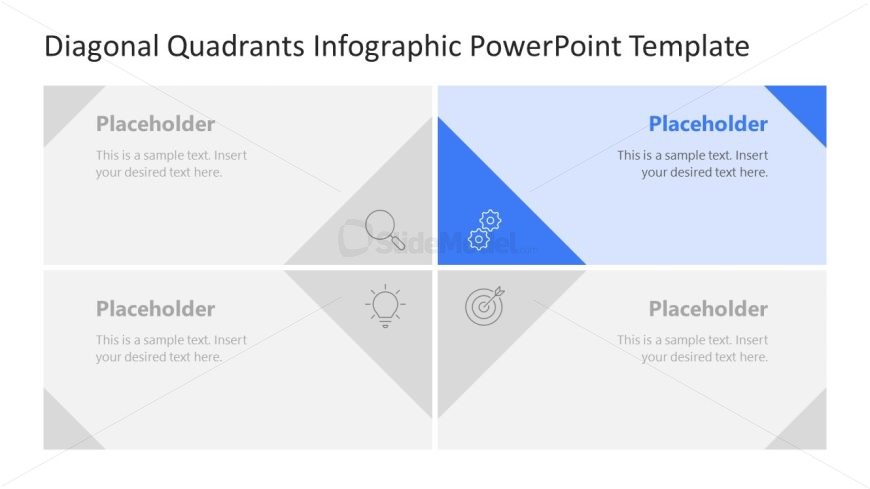
The layout features four diagonal quadrants, each with a placeholder for text. The top left quadrant contains a magnifying glass icon, while the top right quadrant has a blue background with a gear icon. The bottom left quadrant features a light bulb icon, and the bottom right quadrant has a target icon. Each quadrant is separated by diagonal lines, creating a clear visual distinction. Text placeholders are centered within each quadrant, allowing for easy insertion of content. The overall color scheme includes shades of gray and blue.
How to Use It
This layout serves as a quadrant chart, ideal for comparing four distinct concepts or categories. It fits well in presentations that require visual categorization, such as SWOT analysis or product feature comparisons. The layout can be used to highlight key points in a business strategy or to present different perspectives on a topic. It is particularly useful in marketing, project planning, or educational contexts where clear visual segmentation is needed.
Text Placeholders & Capacity
Keep your copy within these limits so it fits without resizing. Each node can hold a title and body text, roughly 40 and 80 characters respectively.
| Placeholder | Count | Max characters (approx.) |
|---|---|---|
| Item heading | 4 | 40 |
| Item body | 4 | 80 |
Slide Keywords
Download unlimited PowerPoint templates, charts and graphics for your presentations with our annual plan.
DOWNLOADReturn to Diagonal Quadrants PowerPoint Template.