Slide 2 of 2 from Decision GRADE Analysis Model PowerPoint Template
Decision GRADE Analysis Model PPT Slide
Decision GRADE Analysis Overview Slide
- Text Layout
- List Blocks
- Concept Explanation Slide
- 16:9
- 100% Editable
What’s on This Slide
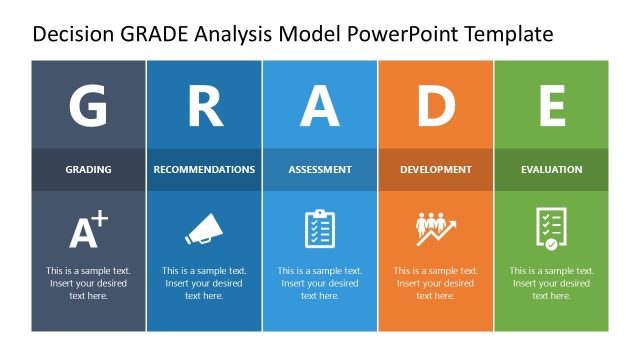
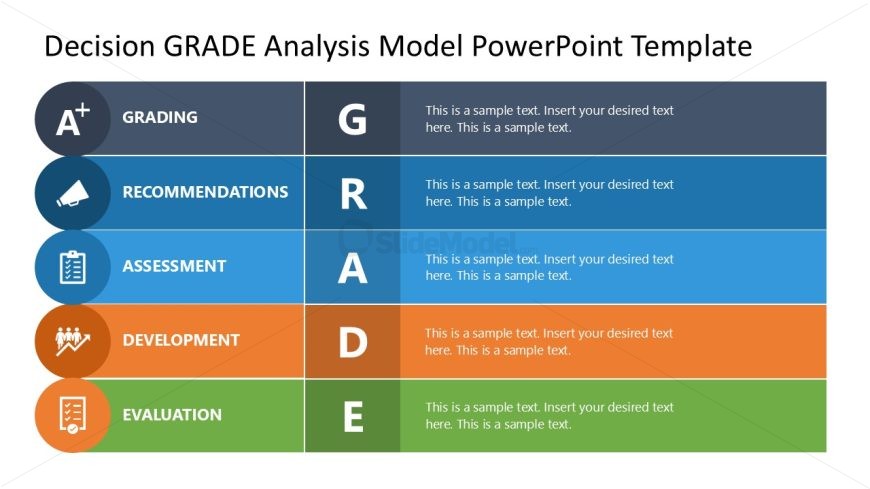
The layout features five horizontal sections, each containing a label and a corresponding icon. The sections are arranged in a vertical stack, with the top section labeled 'Grading' and the bottom labeled 'Evaluation.' Each section has a distinct background color: dark gray for Grading, blue for Recommendations, light blue for Assessment, orange for Development, and green for Evaluation. Icons representing each category are positioned to the left of the text. Text placeholders are aligned centrally within each section, allowing for detailed descriptions. The overall composition is structured and visually organized.
How to Use It
This layout serves as a structured overview of the Decision GRADE analysis model. It is suitable for presenting assessments, recommendations, and evaluations in a clear manner. This slide fits into a presentation sequence after an introductory slide, providing a comprehensive breakdown of the model's components. It is ideal for business scenarios that require decision-making frameworks, performance evaluations, or strategic assessments, allowing for easy communication of complex information.
Text Placeholders & Capacity
Keep your copy within these limits so it fits without resizing. Node body slots can accommodate roughly 15-20 words each.
| Placeholder | Count | Max characters (approx.) |
|---|---|---|
| Item heading | 5 | 20 |
| Item body | 5 | 100 |
Slide Keywords
Download unlimited PowerPoint templates, charts and graphics for your presentations with our annual plan.
DOWNLOADReturn to Decision GRADE Analysis Model PowerPoint Template.