Slide 6 of 20 from Data Lineage PowerPoint Template
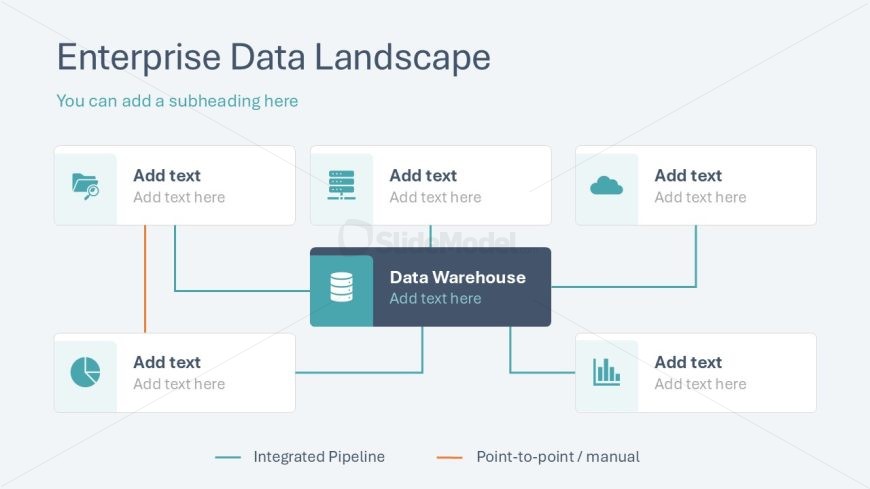
Enterprise Data Landscape Architecture Diagram – Data Lineage PPT Template
Enterprise Data Landscape Slide Overview
- Diagram
- Matrix Quadrant
- Concept Explanation Slide
- 16:9
- 100% Editable
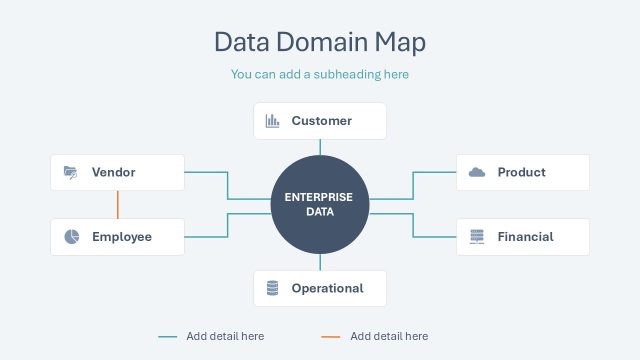
The Enterprise Data Landscape slide from the Data Lineage PowerPoint Template visually maps data flow and relationships using editable shapes and vector icons. Ideal for data architecture discussions, this slide supports clear communication of integration strategies within business presentations and slide decks.
What’s on This Slide
The layout features a central node labeled 'Data Warehouse' positioned in the middle of the slide. Surrounding this node are five additional nodes arranged in a semi-circle, each containing text placeholders aligned centrally. Connecting lines extend from the central node to each surrounding node, indicating relationships. The slide includes two types of lines: solid lines for integrated pipelines and dashed lines for point-to-point connections. The background is a light color, enhancing the visibility of the nodes and text. Text placeholders are present for titles and subheadings.
How to Use It
This layout serves as a visual representation of a data landscape, illustrating the flow and relationships between various data components. It is suitable for presentations discussing data architecture, integration strategies, or data management frameworks. This slide fits well after problem identification and before outlining solutions, helping to clarify the current data structure. It can be used in business contexts where data lineage and governance are critical, such as data management discussions or architecture reviews.
Text Placeholders & Capacity
Keep your copy within these limits so it fits without resizing. Node labels can accommodate roughly 20 characters each.
| Placeholder | Count | Max characters (approx.) |
|---|---|---|
| Slide title | 1 | 30 |
| Subtitle | 1 | 40 |
| Item heading | 5 | 20 |
| Item body | 5 | 30 |
| Callout | 2 | 25 |
Slide Keywords
Download unlimited PowerPoint templates, charts and graphics for your presentations with our annual plan.
DOWNLOADReturn to Data Lineage PowerPoint Template.