Slide 3 of 4 from Cycle Arrows Venn Diagram PowerPoint Template
Cycle Arrows Venn Diagram Slide PPT Template
Cycle Arrows Venn Diagram Template
- Diagram
- Venn
- Strategic Analysis Slide
- 16:9
- 100% Editable
The Cycle Arrows Venn Diagram slide from the Cycle Arrows Venn Diagram PowerPoint Template offers a clear visual for illustrating interconnected processes in business presentations. Featuring editable shapes and vector icons arranged in overlapping circles with directional arrows, this slide template supports strategic analysis, project management, and team collaboration within a corporate presentation or pitch deck template.
What’s on This Slide
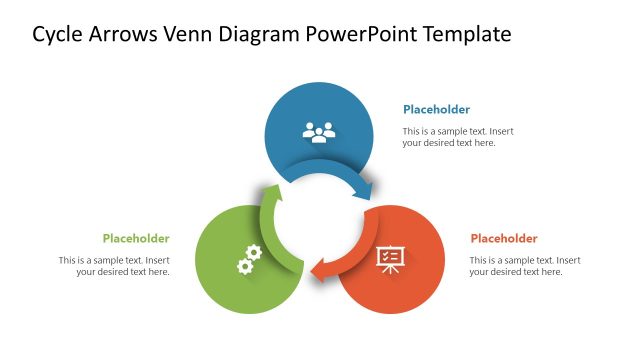
The layout features three overlapping circular areas arranged in a Venn diagram style. Each section contains a circular arrow pointing towards the next, indicating a flow. The top section includes a person icon, the left section has a gear icon, and the right section features a screen icon. Each area has a text placeholder aligned centrally within it, with additional placeholder text positioned below. The overall color scheme includes gray for the top and left sections, and a prominent orange for the right section, creating a visual hierarchy.
How to Use It
This layout serves to illustrate interconnected processes or concepts, making it suitable for presentations that require a visual representation of relationships. It fits well in a sequence after problem identification slides, helping to clarify solutions or strategies. Ideal for business contexts, it can be used in team discussions, project planning, or operational workflows, where understanding the interplay of different elements is essential.
Text Placeholders & Capacity
Keep your copy within these limits so it fits without resizing. Node body slots can accommodate roughly 10-15 words each.
| Placeholder | Count | Max characters (approx.) |
|---|---|---|
| Item body | 3 | 50 |
| Item heading | 3 | 20 |
| Body paragraph | 3 | 40 |
Slide Keywords
Download unlimited PowerPoint templates, charts and graphics for your presentations with our annual plan.
DOWNLOAD