Slide 14 of 15 from Cybersecurity Awareness PowerPoint Template
Best Practices Recap Slide – Cybersecurity Awareness Presentation Template
Best Practices Recap Slide for Cybersecurity Awareness
- Text Layout
- List Blocks
- Context Slide
- 16:9
- 100% Editable
The Best Practices Recap Slide from the Cybersecurity Awareness PowerPoint Template offers a structured layout ideal for summarizing key points in training sessions and workshops. This slide layout features editable shapes and vector icons arranged in a clear 2x2 grid, supporting concise presentation of best practices. It integrates seamlessly into business presentations or corporate slide decks focused on cybersecurity awareness, enhancing clarity and retention of essential information.
What’s on This Slide
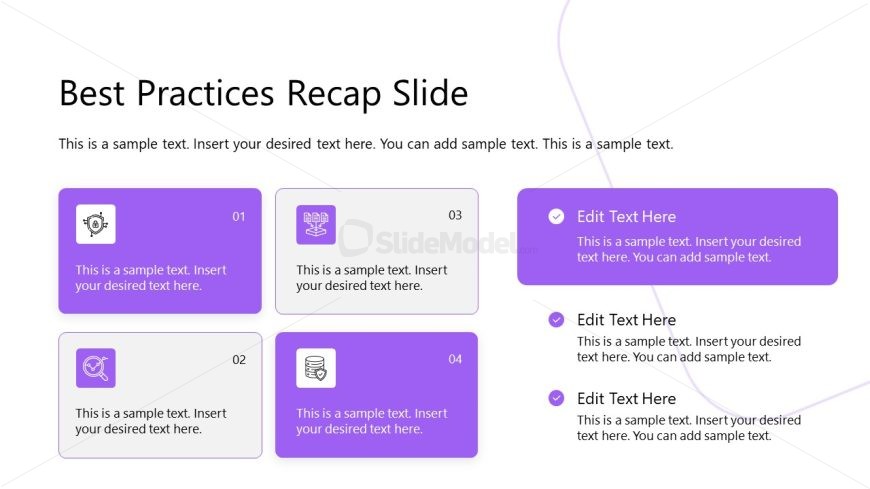
The layout features a title at the top center, stating 'Best Practices Recap Slide.' Below, there are four rectangular nodes arranged in a 2x2 grid. Each node contains an icon on the left and a text area on the right. The nodes are labeled with numbers 01 to 04, positioned in the top left corner of each node. The background is a light color with a subtle gradient. Text placeholders are present in each node, aligned left, allowing for detailed descriptions. A decorative line flows from the top right to the bottom left, adding visual interest.
How to Use It
This layout serves as a recap or summary slide, ideal for reinforcing key points in a presentation. It fits well after a detailed discussion of cybersecurity practices, summarizing essential takeaways. Use it to present best practices in a clear, organized manner. This format is suitable for training sessions, workshops, or any educational context where summarizing information is necessary. It can also be adapted for various topics beyond cybersecurity, making it versatile for different presentations.
Text Placeholders & Capacity
Keep your copy within these limits so it fits without resizing. Node body slots can hold roughly 15-20 words each.
| Placeholder | Count | Max characters (approx.) |
|---|---|---|
| Slide title | 1 | 30 |
| Item heading | 4 | 10 |
| Item body | 4 | 100 |
Slide Keywords
Download unlimited PowerPoint templates, charts and graphics for your presentations with our annual plan.
DOWNLOADReturn to Cybersecurity Awareness PowerPoint Template.