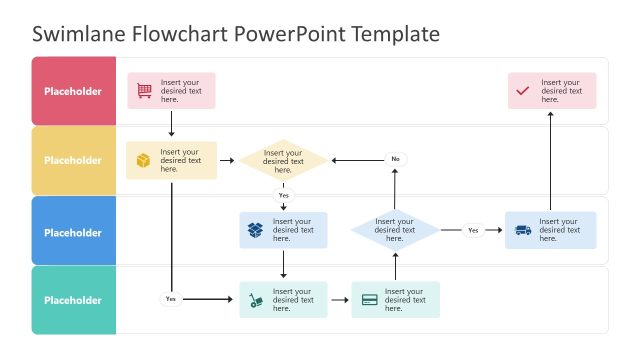
Slide 1 of 2 from Customer Service Swimlane Chart Template for PowerPoint
Customer Service Swimlane Chart for PowerPoint
Customer Service Swimlane Chart for PowerPoint
- Diagram
- Swimlane
- Process Slide
- 16:9
- 100% Editable
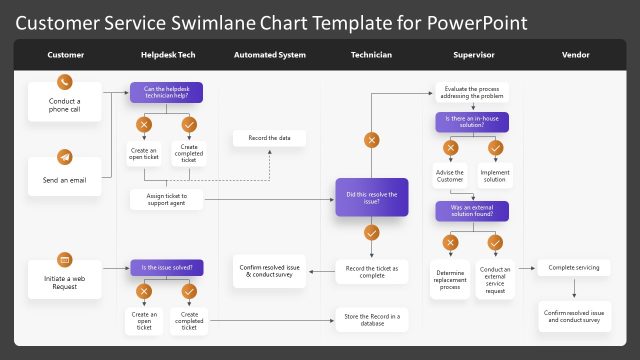
The Customer Service Swimlane Chart slide from the Customer Service Swimlane Chart Template for PowerPoint offers a clear process mapping tool ideal for business presentations focused on customer support workflows. This slide template features editable shapes and vector icons arranged in a swimlane diagram to illustrate roles and responsibilities, enhancing training and workflow optimization efforts with professional slide templates.
What’s on This Slide
The slide features a swimlane diagram divided into five horizontal lanes labeled Customer, Helpdesk Tech, Automated System, Technician, and Supervisor. Each lane contains rounded rectangles representing steps in a customer service process, with arrows indicating flow direction. The shapes vary in color and size, with some nodes containing questions and decision points. Text placeholders are present for titles and descriptions, aligned centrally within each shape. The background is a light gradient, enhancing the visual hierarchy of the lanes and nodes.
How to Use It
This layout serves as a process flow diagram, illustrating the steps involved in customer service interactions. It fits into a presentation sequence by providing a clear overview of roles and responsibilities. This structure is useful for training sessions, process optimization discussions, and presentations on customer support workflows, allowing stakeholders to visualize the entire process and identify areas for improvement.
Text Placeholders & Capacity
Keep your copy within these limits so it fits without resizing. Node labels can accommodate roughly 5-6 words each.
| Placeholder | Count | Max characters (approx.) |
|---|---|---|
| Slide title | 1 | 40 |
| Item heading | 10 | 30 |
| Item body | 10 | 50 |
Slide Keywords
Download unlimited PowerPoint templates, charts and graphics for your presentations with our annual plan.
DOWNLOADReturn to Customer Service Swimlane Chart Template for PowerPoint.