Slide 1 of 2 from Creative SWOT Template for PowerPoint
Creative SWOT PowerPoint Template
SWOT Analysis Overview Slide
- Diagram
- Matrix Quadrant
- Strategic Analysis Slide
- 16:9
- 100% Editable
What’s on This Slide
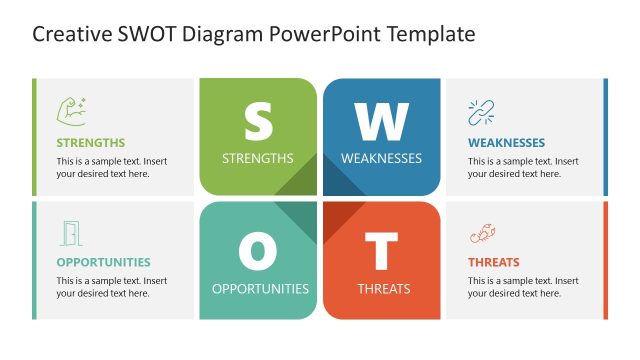
The layout features four quadrants labeled Strengths, Weaknesses, Opportunities, and Threats. Each quadrant has a distinct background color: green for Strengths, orange for Weaknesses, blue for Opportunities, and purple for Threats. The letters S, W, O, and T are prominently displayed in the center, with icons representing each category. Text placeholders are positioned within each quadrant, aligned to the left. The overall composition is balanced, with a clear visual hierarchy emphasizing the central letters and their corresponding sections. The background is white, enhancing readability.
How to Use It
This layout serves as a SWOT analysis framework, ideal for presenting strategic evaluations. It fits within a presentation sequence focused on strategic planning or business analysis. Use this slide to summarize strengths, weaknesses, opportunities, and threats in a concise manner. It is suitable for business meetings, strategic planning sessions, or educational contexts where SWOT analysis is relevant. The layout can be adapted to various industries and organizational scenarios.
Text Placeholders & Capacity
Keep your copy within these limits so it fits without resizing. Node body slots can accommodate roughly 8-10 words each.
| Placeholder | Count | Max characters (approx.) |
|---|---|---|
| Slide title | 1 | 30 |
| Item heading | 4 | 15 |
| Item body | 4 | 50 |
Slide Keywords
Download unlimited PowerPoint templates, charts and graphics for your presentations with our annual plan.
DOWNLOADReturn to Creative SWOT Template for PowerPoint.