Slide 3 of 6 from Creative SWOT Diagram PowerPoint Template
SWOT Diagram Template for PowerPoint
Creative SWOT Diagram for Strategic Analysis
- Diagram
- Matrix Quadrant
- Strategic Analysis Slide
- 16:9
- 100% Editable
What’s on This Slide
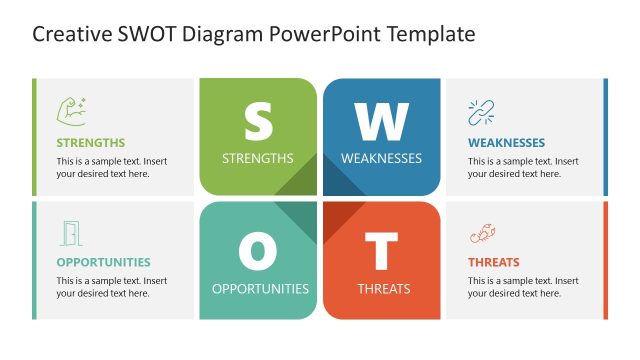
The layout features a four-quadrant diagram divided into Strengths, Weaknesses, Opportunities, and Threats. The top two quadrants contain the labels 'Strengths' and 'Weaknesses', while the bottom two display 'Opportunities' and 'Threats'. Each quadrant includes a placeholder for text, aligned centrally within the respective sections. The 'Weaknesses' quadrant is highlighted in blue, creating a visual emphasis. Icons are placed in the upper left and right corners of the Strengths and Weaknesses sections, respectively. The overall color scheme is neutral with a focus on blue for emphasis.
How to Use It
This layout serves as a SWOT analysis tool, allowing users to categorize strengths, weaknesses, opportunities, and threats. It is suitable for strategic planning presentations, competitive analysis, or organizational assessments. This slide fits well in a sequence following an introduction to the topic and can be used to facilitate discussions on strategic positioning. It is ideal for business meetings, workshops, or educational settings where SWOT analysis is relevant.
Text Placeholders & Capacity
Keep your copy within these limits so it fits without resizing. Node body slots can accommodate roughly 10-12 words each.
| Placeholder | Count | Max characters (approx.) |
|---|---|---|
| Item heading | 4 | 25 |
| Item body | 4 | 60 |
Slide Keywords
Download unlimited PowerPoint templates, charts and graphics for your presentations with our annual plan.
DOWNLOADReturn to Creative SWOT Diagram PowerPoint Template.