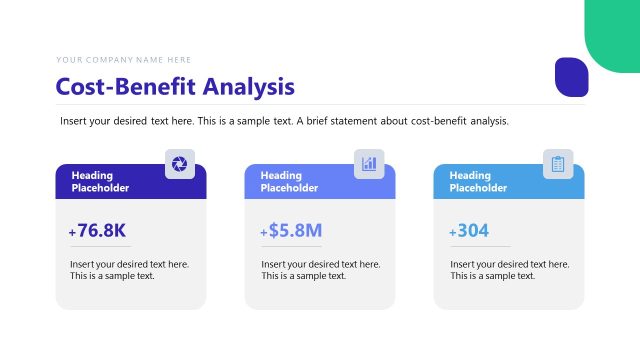
Slide 2 of 2 from Cost Benefit Analysis Matrix PowerPoint Template
Cost Benefit Analysis Matrix Slide Template
Cost Benefit Analysis Matrix Overview
- Diagram
- Matrix Quadrant
- Evaluation Slide
- 16:9
- 100% Editable
The Cost Benefit Analysis Matrix slide from the Cost Benefit Analysis Matrix PowerPoint Template offers a clear four-quadrant diagram ideal for evaluating projects and investments. This slide template supports strategic planning by visually organizing options based on cost and benefits, making it a practical addition to business presentations and pitch decks. Its editable shapes and color-coded quadrants enhance clarity in decision-making discussions within corporate presentation slide decks.
What’s on This Slide
The slide features a four-quadrant matrix with labeled axes for 'Cost or Effort' and 'Benefits.' Each quadrant has a distinct background color: purple, blue, green, and orange. The top left quadrant is labeled 'High Reward - Low Cost' with a placeholder for text. The top right quadrant is labeled 'High Reward - High Cost' with a similar text placeholder. The bottom left quadrant is labeled 'Low Reward - Low Cost' and the bottom right 'Low Reward - High Cost,' both containing text placeholders. The visual hierarchy is clear, with quadrant labels prominently displayed.
How to Use It
This layout serves as a cost-benefit analysis tool, allowing users to categorize options based on their potential rewards and associated costs. It fits well in presentations discussing project evaluations, investment decisions, or strategic planning. The matrix format helps in visually comparing different scenarios, making it suitable for business meetings, workshops, or decision-making sessions. It effectively organizes information to facilitate discussions around prioritization and resource allocation.
Text Placeholders & Capacity
Keep your copy within these limits so it fits without resizing. Node body slots can hold roughly 10 words each.
| Placeholder | Count | Max characters (approx.) |
|---|---|---|
| Item heading | 4 | 30 |
| Item body | 8 | 50 |
Slide Keywords
Download unlimited PowerPoint templates, charts and graphics for your presentations with our annual plan.
DOWNLOAD