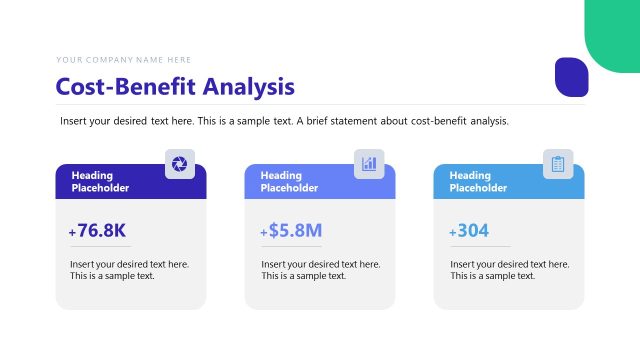
Slide 1 of 2 from Cost Benefit Analysis Matrix PowerPoint Template
Cost Benefit Analysis Matrix PPT Template
Cost Benefit Analysis Matrix Overview
- Diagram
- Matrix Quadrant
- Strategic Analysis Slide
- 16:9
- 100% Editable
The Cost Benefit Analysis Matrix slide from the Cost Benefit Analysis Matrix PowerPoint Template offers a clear four-quadrant layout for strategic analysis. This slide template is designed to support project evaluation and investment decisions by visually balancing costs against benefits. It is an effective tool within business presentations and pitch decks, featuring editable shapes and vector icons to customize the matrix for corporate presentations or strategic planning sessions.
What’s on This Slide
The layout features a four-quadrant matrix with a horizontal axis labeled 'Cost or Effort' and a vertical axis labeled 'Benefits.' Each quadrant is color-coded, with text placeholders positioned in the center of each section. The top left quadrant is purple, the top right is green, the bottom left is blue, and the bottom right is orange. Star icons are present in each quadrant, indicating varying levels of reward. Text placeholders are aligned centrally within each quadrant, providing clear messaging about the cost-benefit analysis.
How to Use It
This layout serves as a cost-benefit analysis matrix, ideal for evaluating options based on their costs and benefits. It fits well in presentations discussing project evaluations, investment decisions, or strategic planning. The matrix helps stakeholders visualize where to focus efforts based on potential rewards versus costs. It is particularly useful in business scenarios where decisions need to be made regarding resource allocation or project prioritization.
Text Placeholders & Capacity
Keep your copy within these limits so it fits without resizing. Node labels can hold about 30 characters each, while node bodies can hold around 40 characters.
| Placeholder | Count | Max characters (approx.) |
|---|---|---|
| Item heading | 4 | 30 |
| Item body | 4 | 40 |
Slide Keywords
Download unlimited PowerPoint templates, charts and graphics for your presentations with our annual plan.
DOWNLOAD