Slide 2 of 10 from Corporate Training PowerPoint Template
Course Introduction Slide with Professional Images
Course Introduction Slide for Training Presentation
- Text Layout
- Other
- Context Slide
- 16:9
- 100% Editable
The Course Introduction Layout from the Corporate Training PowerPoint Template provides a structured design ideal for outlining session objectives and training overviews. This slide layout incorporates editable shapes and vector icons to visually support key points, making it suitable for business presentations and professional development workshops. Its balanced composition ensures clear communication of course details, enhancing engagement in corporate training slide decks.
What’s on This Slide
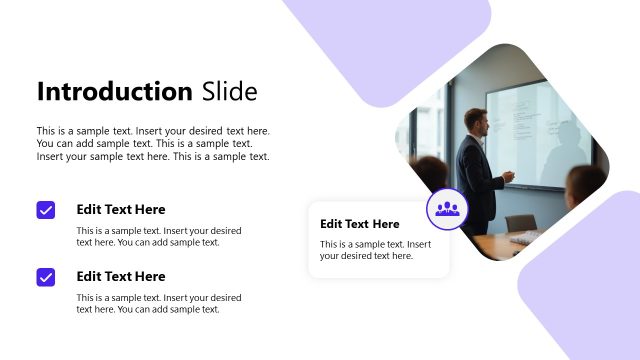
The layout features a large image on the left depicting a speaker in a meeting room. To the right, there are two rectangular text containers, one above the other. The top container has a title placeholder aligned left and a body text placeholder below it. The bottom container has two smaller icons, one representing a chart and the other a laptop, with corresponding text placeholders. The background is predominantly white with a subtle dotted pattern in the bottom left corner, creating visual interest. The overall composition is balanced, with a clear hierarchy of information.
How to Use It
This layout serves as an introductory slide, ideal for presenting course details at the start of a training session. It fits after a title slide and sets the stage for subsequent content. This structure is useful for outlining course objectives or key topics. It can be employed in various training contexts, such as corporate onboarding or professional development workshops, where engaging participants from the outset is essential.
Text Placeholders & Capacity
Keep your copy within these limits so it fits without resizing. Body slots can accommodate roughly 25-30 words each.
| Placeholder | Count | Max characters (approx.) |
|---|---|---|
| Slide title | 1 | 40 |
| Body paragraph | 3 | 150 |
| Item heading | 2 | 30 |
Slide Keywords
Download unlimited PowerPoint templates, charts and graphics for your presentations with our annual plan.
DOWNLOADReturn to Corporate Training PowerPoint Template.