Slide 8 of 10 from Corporate Training PowerPoint Template
Case Study & Application Slide – Corporate Training PPT Template
Case Study & Application Slide for Training
- Text Layout
- Other
- Concept Explanation Slide
- 16:9
- 100% Editable
The Case Study & Application slide from the Corporate Training PowerPoint Template offers a structured layout ideal for presenting detailed examples in corporate training or educational workshops. This slide design integrates editable shapes and visuals alongside text sections, enhancing clarity in business presentations and pitch decks. Its balanced composition supports effective communication of practical scenarios, making it a valuable asset within professional slide templates and Google Slides templates.
What’s on This Slide
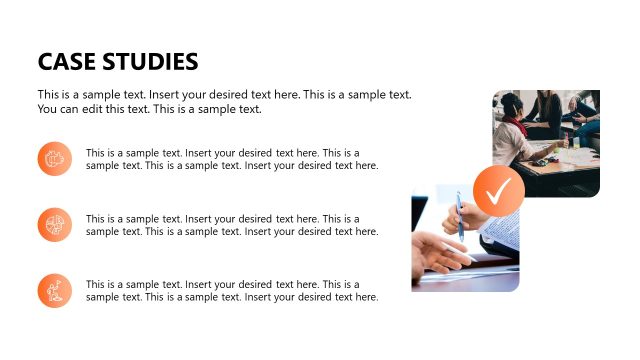
The layout features a left-aligned title at the top, followed by a large text placeholder for a description. Below, there are three numbered sections arranged vertically, each containing a title and a text placeholder for detailed content. Each section is accompanied by an image on the right side, showcasing relevant visuals. The images are positioned in a vertical stack, with each corresponding to its respective numbered section. A checkmark icon precedes the text in the lower section, indicating completion or approval. The overall composition is balanced, with a clear visual hierarchy.
How to Use It
This layout serves as a case study or application slide, ideal for presenting detailed examples or scenarios in a training context. It fits well in a sequence that follows theoretical concepts, providing practical applications. This structure is useful for corporate training sessions, workshops, or educational presentations where real-world examples are needed to reinforce learning. It allows for clear communication of key points alongside supportive visuals, enhancing audience engagement and understanding.
Text Placeholders & Capacity
Keep your copy within these limits so it fits without resizing. Body slots can hold up to 300 characters each, with titles limited to 20 characters.
| Placeholder | Count | Max characters (approx.) |
|---|---|---|
| Slide title | 1 | 30 |
| Body paragraph | 1 | 300 |
| Item heading | 3 | 20 |
| Item body | 3 | 150 |
Slide Keywords
Download unlimited PowerPoint templates, charts and graphics for your presentations with our annual plan.
DOWNLOADReturn to Corporate Training PowerPoint Template.