Slide 3 of 3 from Corporate Process Map Template for PowerPoint
Corporate Process Map PowerPoint Template
Corporate Process Flow Diagram for Presentations
- Diagram
- Flowchart
- Process Slide
- 16:9
- 100% Editable
What’s on This Slide
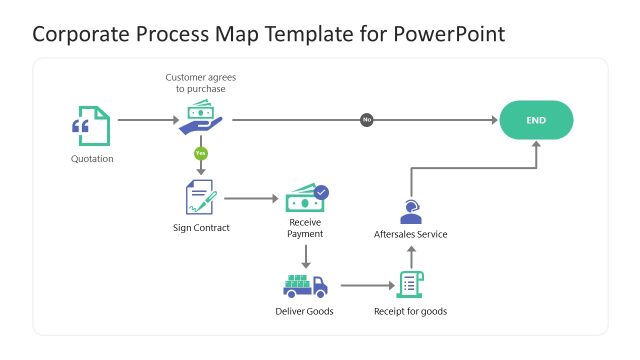
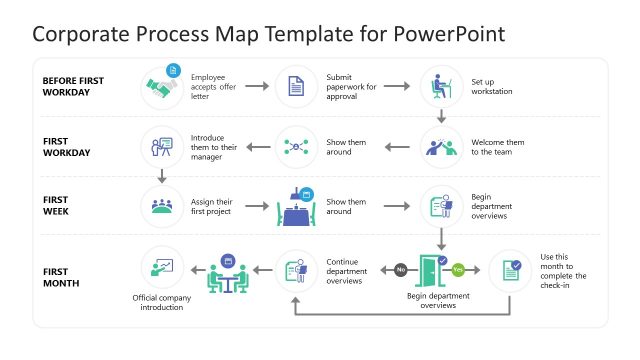
The layout features a horizontal flowchart with labeled sections for CUSTOMER, SALES, CONTRACTS, LEGAL, and FULFILMENT. Each section contains nodes represented by icons and text boxes, indicating steps in a process. Arrows connect the nodes, showing the flow direction. The flowchart includes decision points with 'Yes' and 'No' branches. Text placeholders are positioned above and below the nodes, aligned centrally. The overall composition is structured to guide the viewer through the process clearly, utilizing a consistent color scheme and iconography.
How to Use It
This layout serves as a process flow diagram, ideal for illustrating workflows in business contexts. It fits well in presentations discussing operational procedures, sales processes, or project management. The structure allows for clear communication of sequential steps and decision points, making it suitable for training sessions or stakeholder meetings. It can be used to visualize complex processes in a simplified manner, aiding in understanding and decision-making.
Text Placeholders & Capacity
Keep your copy within these limits so it fits without resizing. Node labels can hold about 30 characters each, while node bodies can hold around 50 characters.
| Placeholder | Count | Max characters (approx.) |
|---|---|---|
| Item heading | 8 | 30 |
| Item body | 8 | 50 |
Slide Keywords
Download unlimited PowerPoint templates, charts and graphics for your presentations with our annual plan.
DOWNLOAD