![The comparison PowerPoint slide layout featured on this slide design may be used to show an overview of three different elements which the business organization has brought up for discussion. These elements may be three sets of marketing campaign proposals, or financial statistics, which are to be compared and deliberated. The PowerPoint template contains 3 […]](https://slidemodel.com/wp-content/uploads/6235-01-comparison-layout-spheres-1-870x489.jpg)
Slide 1 of 8 from Comparison Layouts for PowerPoint with Spheres
Comparison PowerPoint Slide Layout with 3 Items
Comparison Layout with Spheres for Presentations
- Diagram
- Comparison Split
- Comparison Slide
- 16:9
- 100% Editable
The Comparison Layout with Spheres from the Comparison Layouts for PowerPoint with Spheres template offers a clear, three-column design ideal for side-by-side evaluation of product features or project phases. This slide uses editable shapes and vector icons to visually separate categories, enhancing business presentations and pitch deck templates with structured comparisons.
About This Slide
The comparison PowerPoint slide layout featured on this slide design may be used to show an overview of three different elements which the business organization has brought up for discussion. These elements may be three sets of marketing campaign proposals, or financial statistics, which are to be compared and deliberated.
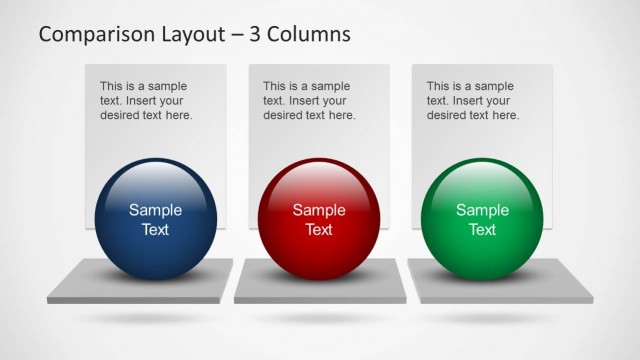
The PowerPoint template contains 3 3D spherical PowerPoint shapes, colored in blue, red, and green, placed in a floating 3D platform. Each sphere contains a text placeholder where the label may be inserted. Another text placeholder, found in a rectangular PowerPoint graphic behind the sphere, may be inserted with descriptions and explanations pertaining to the presentation design. The PowerPoint objects are 100% editable to suit the presenter’s needs and preferences.
What’s on This Slide
The layout features three columns, each containing a circular sphere at the bottom. The spheres are colored blue, red, and green, respectively. Above each sphere, there is a rectangular text placeholder aligned centrally, allowing for insertion of sample text. The spheres are positioned on a horizontal pedestal base that spans the width of the slide. The background is a light gradient, enhancing the visual appeal. The overall layout is structured to facilitate side-by-side comparisons, with clear visual separation between the columns.
How to Use It
This layout serves as a three-column comparison tool, ideal for evaluating options or categories. It fits well at the beginning of a presentation to outline key differences or features. Business scenarios include comparing product features, service offerings, or project phases. It can also be used to highlight pros and cons in decision-making processes. The layout effectively organizes information for easy visual comparison, making it suitable for various business contexts.
Text Placeholders & Capacity
Keep your copy within these limits so it fits without resizing. Node body slots can hold about 15-20 words each.
| Placeholder | Count | Max characters (approx.) |
|---|---|---|
| Item heading | 3 | 30 |
| Item body | 3 | 100 |
Slide Keywords
Download unlimited PowerPoint templates, charts and graphics for your presentations with our annual plan.
DOWNLOAD