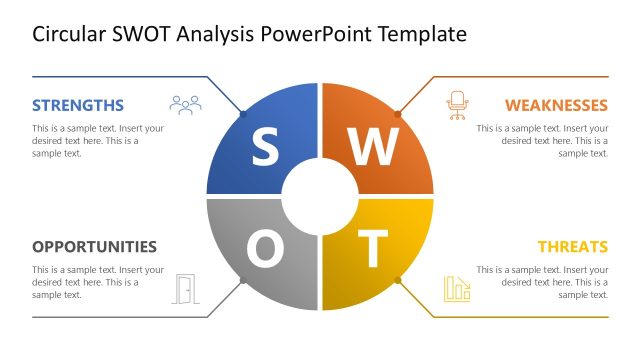
Slide 1 of 5 from Circular SWOT Analysis PowerPoint Template
Circular SWOT Analysis Diagram with Icons
Circular SWOT Analysis Diagram for Presentations
- Diagram
- Matrix Quadrant
- Strategic Analysis Slide
- 16:9
- 100% Editable
The Circular SWOT Analysis Diagram from the Circular SWOT Analysis PowerPoint Template offers a visually balanced layout ideal for strategic planning and business assessments. This slide template features editable shapes and vector icons arranged in a circular matrix quadrant, supporting clear communication of strengths, weaknesses, opportunities, and threats. Suitable for corporate presentations and team brainstorming, it integrates seamlessly into slide decks focused on comprehensive strategic analysis.
What’s on This Slide
The layout features a circular diagram divided into four quadrants labeled Strengths, Weaknesses, Opportunities, and Threats. Each quadrant is color-coded, with Strengths in purple, Weaknesses in yellow, Opportunities in orange, and Threats in red. The center contains the letters S, W, O, and T, visually connecting the sections. Each quadrant has a placeholder for text, aligned centrally within the respective colors. Icons representing each category are positioned within the quadrants, enhancing visual appeal. The overall composition is balanced and clearly organized.
How to Use It
This layout serves as a structured SWOT analysis tool, ideal for assessing business strategies or project evaluations. It fits well at the beginning of a presentation, introducing key analysis concepts. Use it in contexts such as strategic planning sessions, team brainstorming activities, or competitive assessments. The circular format emphasizes the interconnectedness of strengths, weaknesses, opportunities, and threats, making it suitable for discussions that require a holistic view of a situation.
Text Placeholders & Capacity
Keep your copy within these limits so it fits without resizing. Node body slots can accommodate roughly 10 words each.
| Placeholder | Count | Max characters (approx.) |
|---|---|---|
| Slide title | 1 | 40 |
| Item heading | 4 | 20 |
| Item body | 4 | 50 |
Slide Keywords
Download unlimited PowerPoint templates, charts and graphics for your presentations with our annual plan.
DOWNLOADReturn to Circular SWOT Analysis PowerPoint Template.