Slide 3 of 7 from Circular Saw Steps PowerPoint Diagram
Process Cycle Diagram PowerPoint
Circular Saw Steps PowerPoint Diagram
- Diagram
- Circular Cycle
- Process Slide
- 16:9
- 100% Editable
What’s on This Slide
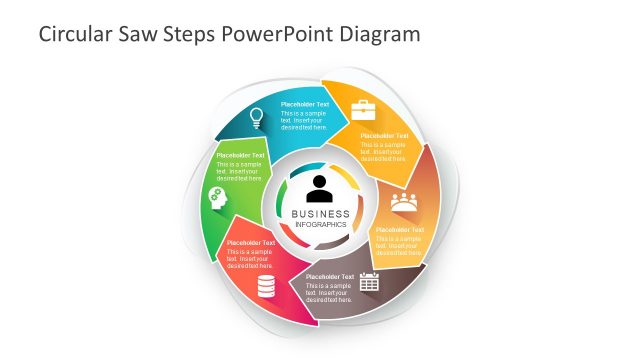
The layout features a central circular shape with six surrounding segments. Each segment contains a placeholder for text and an icon, positioned evenly around the circle. The central area displays a larger placeholder labeled 'BUSINESS INFOGRAPHICS.' The segments are colored differently, creating a visual distinction among them. The icons represent various concepts, such as a lightbulb and a briefcase. The overall design emphasizes a circular flow, with a clear visual hierarchy from the center outward. Background colors are light, enhancing readability.
How to Use It
This layout serves as a process flow diagram, ideal for illustrating sequential steps in a circular format. It fits well in presentations that require a clear depiction of cyclical processes or methodologies. Business scenarios include project management, product development stages, or strategic planning processes. This structure effectively communicates how different components interact within a larger framework, making it suitable for both team discussions and stakeholder presentations.
Text Placeholders & Capacity
Keep your copy within these limits so it fits without resizing. Node body slots can accommodate roughly 30 characters each.
| Placeholder | Count | Max characters (approx.) |
|---|---|---|
| Item body | 6 | 30 |
| Item heading | 6 | 20 |
| Slide title | 1 | 50 |
Slide Keywords
Download unlimited PowerPoint templates, charts and graphics for your presentations with our annual plan.
DOWNLOADReturn to Circular Saw Steps PowerPoint Diagram.