Slide 2 of 3 from Charity Model PowerPoint Template
Non Profit Organization Model
Charity Model Comparison Slide
- Diagram
- Comparison Split
- Comparison Slide
- 16:9
- 100% Editable
The Charity Model Comparison slide from the Charity Model PowerPoint Template offers a clear visual layout for contrasting donor engagement and organizational changes over time. This slide template uses editable shapes and vector icons to effectively depict shifts between past and present charity models, making it suitable for business presentations or corporate slide decks focused on nonprofit progress and impact.
What’s on This Slide
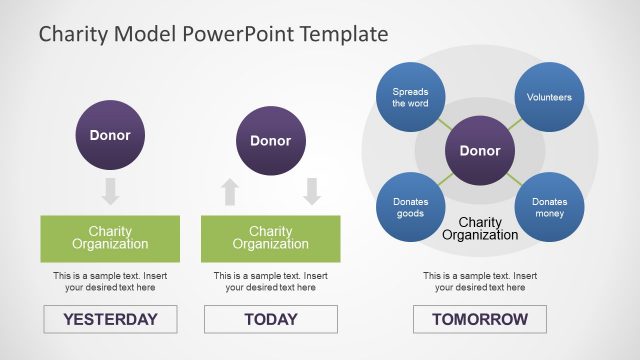
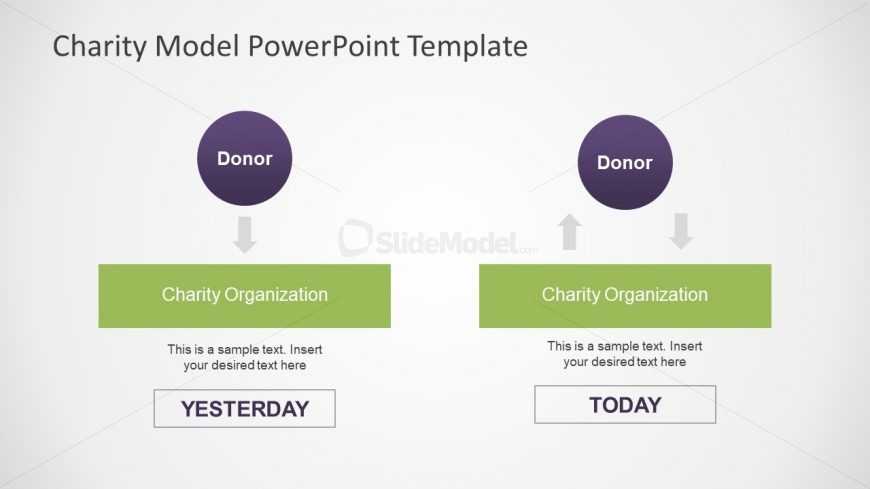
The layout features two sections on either side, each containing a circular node labeled 'Donor' positioned at the top center. Below each node, a rectangular container labeled 'Charity Organization' is centered. Each container has a placeholder for text beneath it. The left section has the label 'YESTERDAY' and the right section has 'TODAY,' both aligned at the bottom of their respective containers. Arrows point upward from the 'Charity Organization' boxes to the 'Donor' nodes, indicating a flow of information. The overall color scheme includes shades of purple and green.
How to Use It
This layout serves to compare two states or timeframes, specifically 'YESTERDAY' and 'TODAY,' in a charity context. It is effective for illustrating changes in donor engagement or organizational impact over time. This slide fits within a presentation sequence that discusses the evolution of charity models or donor relationships. It is useful in meetings with stakeholders to highlight progress or shifts in strategy.
Text Placeholders & Capacity
Keep your copy within these limits so it fits without resizing. Node body slots can hold roughly 10 words each.
| Placeholder | Count | Max characters (approx.) |
|---|---|---|
| Item heading | 2 | 20 |
| Item body | 2 | 50 |
| Callout | 2 | 20 |
Slide Keywords
Download unlimited PowerPoint templates, charts and graphics for your presentations with our annual plan.
DOWNLOADReturn to Charity Model PowerPoint Template.