Discuss the industry insights and share how your company is making an impact with our Business Conference PowerPoint Template. The business conference is a format for gathering professionals from the same or different fields, where they talk about industry trends, challenges, customer demands, and proposed solutions. We have created this template for operational managers, project managers, and other professionals. They can make a comprehensive presentation for the business conference. Project managers, market analysts, and other professionals can use our engaging template to visualize the implementation schedule of the solutions their company is providing. Our animated PowerPoint template has 100% customizable PPT features. Also, the business conference slide layout is compatible with Google Slides and Keynote.
The Business Conference PowerPoint Template has a sleek and modern design that captures the audience’s attention and lets presenters engage with the audience effectively. The template starts with a professional cover slide followed by the stage slide setting. Next, they can showcase the problem statement the company is working on, using circular shapes and a bar chart. They demonstrate the business impact, key features and benefits, and the proposed solution for market challenges. We have provided a horizontal timeline diagram to present the business process implementation roadmap and key events in a particular time frame. Professionals can mention the financial, material, or technological resources needed to execute the plan in the resources slide. We also have slides for presenting:
- Potential Challenges
- Metrics for Success
- Our Business Success Story
- Conclusion
- Questions & Answers
Furthermore, you can check our other editable business presentation templates for your meetings. Adjust the layout based on your needs and replace the icons with the required ones. Download the business conference PPT slide template and edit it today!
What’s inside this template
Example presentation scenarios
- A project manager can present a new initiative to executives by using the problem statement slide, proposed solutions columns, and implementation roadmap to connect business need with execution timing.
- A market analyst can brief conference attendees on industry conditions by using the setting the stage slide, business impact slide, and metrics for success chart to organize evidence and implications.
- An operations leader can explain a transformation program by using the resources required slide, potential challenges cards, and success story slide to show what is needed, what could block progress, and what results look like.
- A business development presenter can pitch a solution at an industry event by using the key features and benefits slide, proposed solutions slide, and conclusion slide to move from value proposition to recommended next steps.
Features
- 100% editable presentation template
- Compatible with Microsoft PowerPoint and Google Slides
- 16:9 aspect ratio slides
- Scalable vector shapes, icons and illustrations
- Ready with Animations & Transitions in PowerPoint
- AI-Ready for Microsoft Copilot and Claude
- Instant access and download
Frequently asked questions
Q: How should a presenter organize the message with this conference deck?
A: Start by using the cover and setting the stage slide to define the audience context. Then move into the problem statement, business impact, and proposed solutions before discussing the roadmap and resources. Keep metrics and the success story near the end so the audience receives proof before the conclusion and Q&A.
Q: Who is this template best suited for in a business conference setting?
A: This template fits managers, analysts, consultants, and business leaders who need to explain a business issue and a planned response. It is strongest when the presenter must connect problem, impact, solution, implementation timing, required resources, expected metrics, and a short success story for an audience that wants both context and action.
Q: Why does the design combine circular accents, cards, and timelines?
A: The circular accents create continuity across slides without crowding the content, while cards separate points into digestible units for conference audiences. The horizontal roadmap gives the plan a time-based anchor, and the KPI cards isolate important numbers so they are easier to remember than if they were buried in body text.


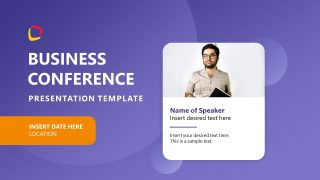


Business Conference PowerPoint Template
13-slide business conference presentation template with problem statement, roadmap, and success metrics layouts
Business Conference PowerPoint Template is a 13-slide deck for conference talks, stakeholder briefings, and business updates. It includes a cover, problem statement with bar chart, business impact slide, implementation roadmap, resources table, challenges cards, metrics dashboard, success story, conclusion, and Q&A. It works in Microsoft PowerPoint and Google Slides.
- Category
- Business PowerPoint Templates
- Rating

 Loading...
- Aspect ratio
- 16:9
- Item ID
- 85206-01
- Colors
 Microsoft PowerPoint
 Microsoft Copilot
 Claude for PowerPoint
Other formats supported
Subscribe today and get immediate
access to download our PowerPoint templates.