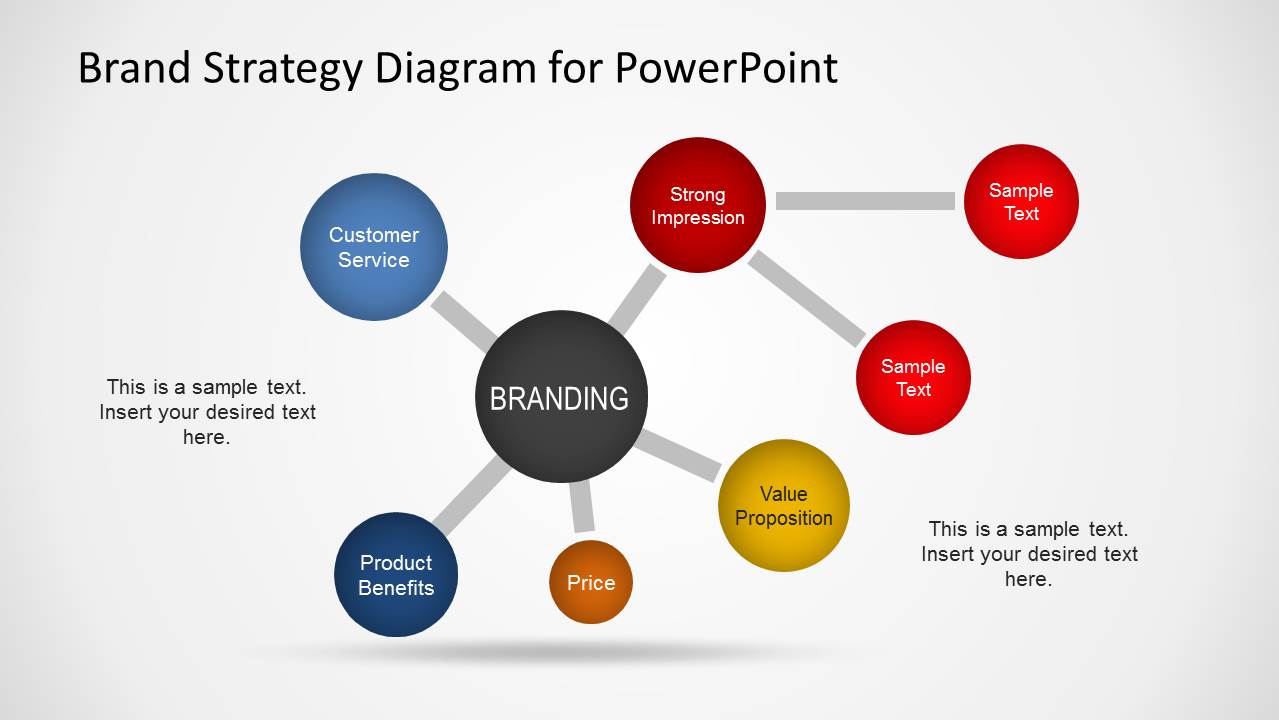
Brand Strategy is a long-term plan for the development of a successful brand. The definition of the brand strategy impacts in all spects of a business and it is directly connected to the consumer needs, competitive environments and emotions. This is a Brand Strategy diagram template for PowerPoint presentations that you can use as a template to prepare a brand strategy diagram for your presentations.
This brand strategy diagram can be customized in order you can re-arrange elements and edit the text placeholders that were prepared for this purpose. Alternatively you can download other PPT templates for Brand Strategy presentations.
What’s inside this template
Example presentation scenarios
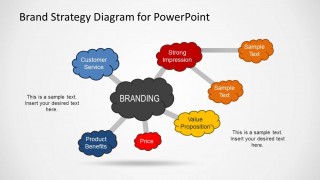
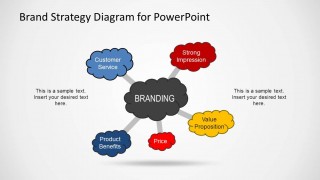
- A brand manager can use the hub-and-spoke branding map to show executives how customer service, product benefits, price, strong impression, and value proposition support a shared brand direction.
- A marketing consultant can use the cloud-node diagram during a workshop to separate emotional brand perceptions from practical offer elements such as benefits and pricing.
- A product marketer can use the extended linked-node slide to connect a core branding message to supporting proof points and short explanatory notes for a launch plan.
- A small business owner can use the simplified five-factor diagram to brief a team on which brand attributes should guide website copy, sales messaging, and customer interactions.
Features
- 100% editable presentation template
- Compatible with Microsoft PowerPoint
- 16:9 aspect ratio slides
- Scalable vector shapes, icons and illustrations
- AI-Ready for Microsoft Copilot and Claude
- Instant access and download
Frequently asked questions
Q: How should a presenter explain the brand strategy message with this diagram?
A: Start with the central BRANDING node, then move around the connected factors in a deliberate order: customer service, product benefits, price, strong impression, and value proposition. Treat each node as a decision area, not just a label. Use the side text placeholders for one insight or action per factor so the audience can follow the logic.
Q: Who is this template best suited for in a brand strategy discussion?
A: This template fits brand managers, marketing consultants, and business leaders who need to align stakeholders on what shapes a brand. It is best for planning conversations where the goal is to define or compare brand drivers. The visible hub diagrams make it easier to discuss tradeoffs between offer, perception, service, and positioning.
Q: Why use a hub-and-spoke or cloud metaphor for brand strategy?
A: The hub-and-spoke structure shows branding as the central outcome of several connected forces, which is more useful than listing brand attributes in isolation. The cloud variation softens the message and can signal perception, emotion, or ideas in formation. This helps audiences see brand strategy as a system rather than a checklist.


Brand Strategy Diagram Template for PowerPoint
4-slide presentation template with branding hub diagrams, value proposition nodes, and brand strategy connectors
Brand Strategy Diagram Template for PowerPoint is a 4-slide diagram set for mapping brand strategy around a central branding concept. It includes hub-and-spoke diagrams, connected attribute nodes, and cloud-style brand factor layouts for customer service, product benefits, price, strong impression, and value proposition discussions.
- Category
- Diagrams
- Rating


 Loading...
- Aspect ratio
- 16:9
- Item ID
- 6564-01
- Colors
 Microsoft PowerPoint
  Microsoft Copilot
  Claude for PowerPoint
 Other formats supported
Subscribe today and get immediate
access to download our PowerPoint templates.