Slide 8 of 11 from Brainstorming & Creativity Session PowerPoint Template
Organize and Cluster Ideas with Brainstorming PPT Template
Organize & Cluster Ideas Slide
- Diagram
- Process Flow
- Process Slide
- 16:9
- 100% Editable
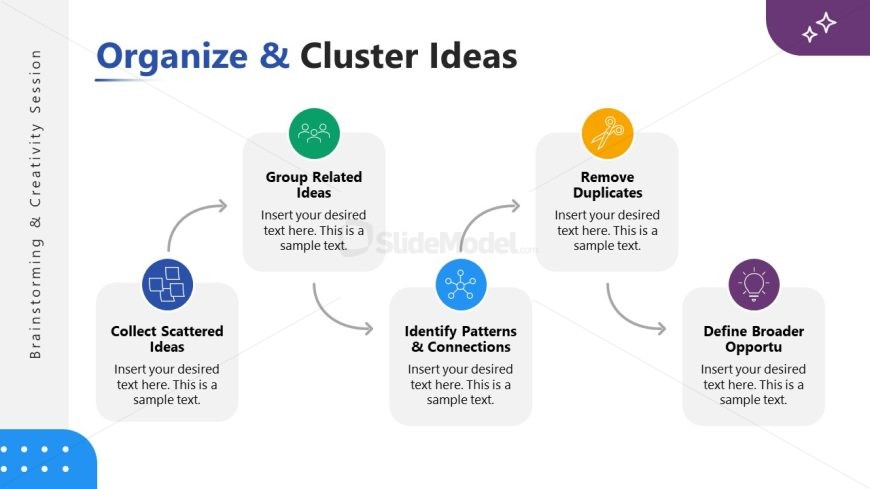
The Organize & Cluster Ideas slide from the Brainstorming & Creativity Session PowerPoint Template provides a clear process flow for managing and refining ideas during team workshops. This slide template uses editable shapes and vector icons to visually represent the steps of grouping related ideas, identifying patterns, and defining opportunities, making it a practical addition to any business presentation or slide deck focused on idea management and process visualization.
What’s on This Slide
The layout features a central node labeled 'Group Related Ideas' with four surrounding nodes: 'Collect Scattered Ideas,' 'Identify Patterns & Connections,' 'Remove Duplicates,' and 'Define Broader Opportunities.' Each node is circular, with connecting arrows indicating flow between them. Text placeholders are positioned within each node, aligned centrally. The background is predominantly white with a light gray border on the left. Colorful icons accompany each node, enhancing visual engagement. The overall structure is hierarchical, emphasizing the central idea of organizing and clustering thoughts.
How to Use It
This layout serves as a flowchart, illustrating a process for organizing and clustering ideas. It fits within a brainstorming session, guiding participants through steps to refine their thoughts. Suitable for workshops or team meetings, it helps visualize connections and prioritize ideas. This slide is effective for summarizing brainstorming techniques and can be used to facilitate discussions on idea management. It is best positioned after initial brainstorming slides to transition into more structured analysis.
Text Placeholders & Capacity
Keep your copy within these limits so it fits without resizing. Node body slots can hold approximately 15-20 words each.
| Placeholder | Count | Max characters (approx.) |
|---|---|---|
| Item heading | 4 | 40 |
| Item body | 4 | 80 |
| Slide title | 1 | 50 |
Slide Keywords
Download unlimited PowerPoint templates, charts and graphics for your presentations with our annual plan.
DOWNLOADReturn to Brainstorming & Creativity Session PowerPoint Template.