Slide 3 of 4 from Animated Comparison Slide Template for PowerPoint
Editable Animated Comparison Slide Presentation Template
Two-Column Comparison Slide for Presentations
- Text Layout
- Comparison Split
- Comparison Slide
- 16:9
- 100% Editable
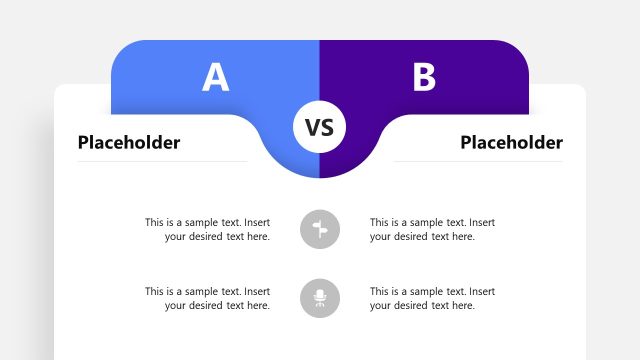
The Two-Column Comparison Layout from the Animated Comparison Slide Template for PowerPoint offers a clear, balanced format ideal for product comparisons and feature evaluations. This slide design uses editable shapes and distinct color coding to enhance visual differentiation, making it suitable for business presentations and pitch deck templates that require straightforward pros and cons analysis.
What’s on This Slide
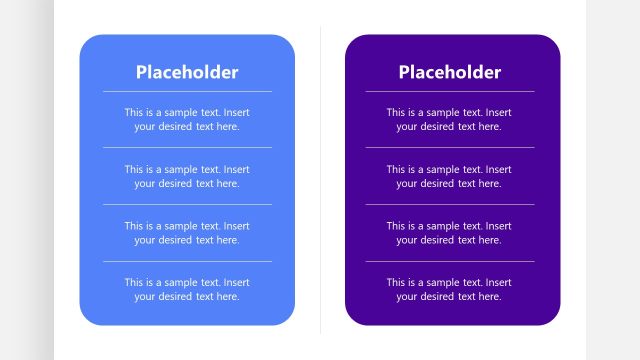
This layout features two distinct columns, one on the left and one on the right. Each column contains a rounded rectangular shape filled with blue on the left and purple on the right. The top of each column has a title placeholder aligned centrally, followed by a horizontal line. Below the title, there are four text placeholders stacked vertically, each with a consistent spacing. The overall composition is symmetrical, with equal emphasis on both columns, allowing for a clear comparison between two options. The background is light, enhancing the visibility of the colored shapes.
How to Use It
This layout serves as a two-column comparison format, ideal for contrasting two products, ideas, or options. It fits well in a presentation sequence where comparisons are necessary, such as product evaluations or pros and cons discussions. This structure is useful in business contexts, such as marketing presentations, decision-making processes, or stakeholder meetings, where clear visual differentiation between two subjects is required.
Text Placeholders & Capacity
Keep your copy within these limits so it fits without resizing. Each body text slot can hold about 10-12 words comfortably.
| Placeholder | Count | Max characters (approx.) |
|---|---|---|
| Item heading | 2 | 30 |
| Item body | 8 | 50 |
Slide Keywords
Download unlimited PowerPoint templates, charts and graphics for your presentations with our annual plan.
DOWNLOADReturn to Animated Comparison Slide Template for PowerPoint.