Slide 2 of 2 from Advantages vs Disadvantages PowerPoint Template
Advantages vs Disadvantages Template for PowerPoint
Advantages vs Disadvantages Comparison Slide
- Diagram
- Comparison Split
- Comparison Slide
- 16:9
- 100% Editable
The Advantages vs Disadvantages Comparison slide from the Advantages vs Disadvantages PowerPoint Template offers a clear, side-by-side layout ideal for business presentations and pitch deck templates. Featuring editable shapes and vector icons, this slide supports effective pros and cons analysis and risk assessment discussions, enhancing decision-making processes with a visually distinct design.
What’s on This Slide
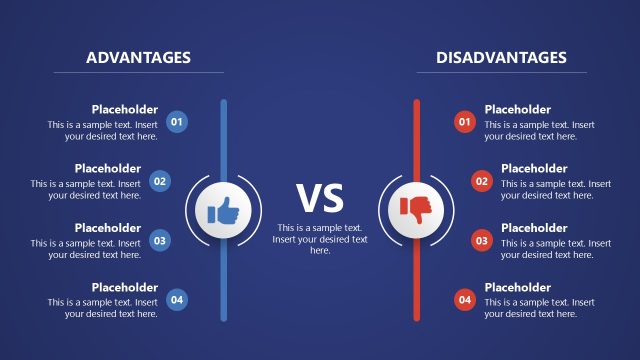
The layout features two vertical columns labeled 'Advantages' and 'Disadvantages' on the left and right, respectively. Each column contains four numbered placeholders for text, aligned vertically. A central circular icon with a thumbs-up represents advantages, while a thumbs-down icon represents disadvantages. The word 'VS' is prominently displayed in the center. The overall color scheme includes blue for advantages and red for disadvantages, enhancing visual differentiation. The background is white, providing contrast for the text and icons.
How to Use It
This layout serves as a comparison tool for presenting pros and cons side by side. It is effective for decision-making discussions, risk assessments, and performance evaluations. The structure is suitable for business presentations where contrasting viewpoints need to be highlighted. It fits well in a sequence following a problem identification slide, leading into a solution or recommendation phase. This slide can be used in various contexts, including project evaluations and strategic planning sessions.
Text Placeholders & Capacity
Keep your copy within these limits so it fits without resizing. Node body slots can hold roughly 10 words each.
| Placeholder | Count | Max characters (approx.) |
|---|---|---|
| Item heading | 2 | 20 |
| Item body | 8 | 50 |
| Slide title | 1 | 30 |
Slide Keywords
Download unlimited PowerPoint templates, charts and graphics for your presentations with our annual plan.
DOWNLOAD