Slide 2 of 2 from Achievements & Challenges PowerPoint Template
Achievement and Challenges Arrow Template
Achievements & Challenges Overview Slide
- Diagram
- Comparison Split
- Comparison Slide
- 16:9
- 100% Editable
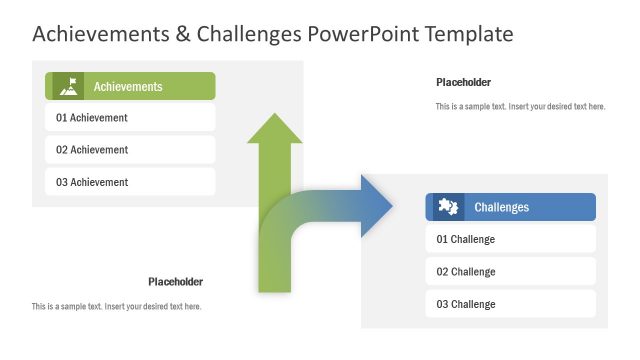
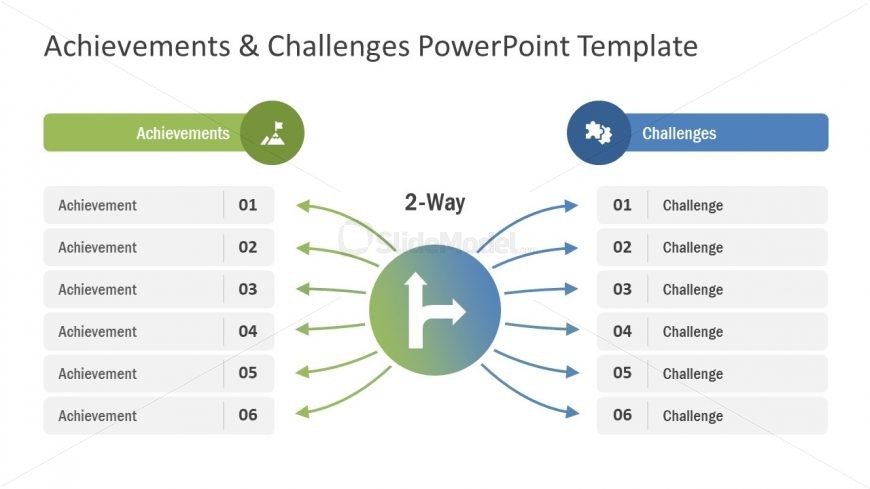
The Achievements and Challenges Overview slide from the Achievements & Challenges PowerPoint Template offers a clear, editable layout to compare project successes and obstacles. Designed for business presentations, this slide template features editable shapes and vector icons arranged in two columns, facilitating strategic planning and performance reviews within a professional slide deck.
What’s on This Slide
The layout features two vertical columns labeled 'Achievements' and 'Challenges' on the left and right, respectively. Each column contains six rows for listing achievements and challenges, with placeholders for titles and numbers. A central circular icon labeled '2-Way' connects the two columns, with arrows pointing outward to indicate a flow of information. The background is white, while the column headers use distinct colors: green for achievements and blue for challenges. The visual hierarchy emphasizes the central icon and the column labels.
How to Use It
This layout serves as a comparative overview of achievements and challenges, suitable for business presentations. It fits well after a problem framing slide, allowing for a clear transition to discussing solutions or strategies. This structure is useful for summarizing project outcomes, performance reviews, or strategic planning sessions, where both achievements and challenges need to be highlighted in a balanced manner.
Text Placeholders & Capacity
Keep your copy within these limits so it fits without resizing. Node labels can hold up to 20 characters each.
| Placeholder | Count | Max characters (approx.) |
|---|---|---|
| Item heading | 12 | 20 |
| Slide title | 1 | 50 |
Slide Keywords
Download unlimited PowerPoint templates, charts and graphics for your presentations with our annual plan.
DOWNLOAD