Slide 4 of 4 from 8-Stage Process From Start to Finish PowerPoint Template
Modern Design for 8-Stage Process From Start to Finish Template
8-Stage Process Diagram for Presentations
- Diagram
- Process Flow
- Process Slide
- 16:9
- 100% Editable
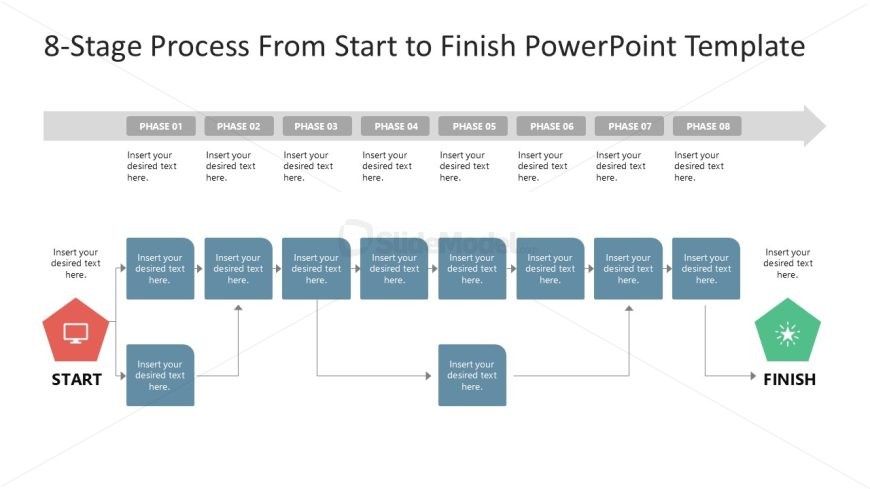
The 8-Stage Process Diagram slide from the 8-Stage Process From Start to Finish PowerPoint Template offers a clear visual flow for project management and workflow presentations. This slide layout uses editable shapes and vector icons to represent each phase, making it suitable for corporate presentations that require detailed process mapping. Its horizontal design supports effective communication of step-by-step business processes within a professional slide deck.
What’s on This Slide
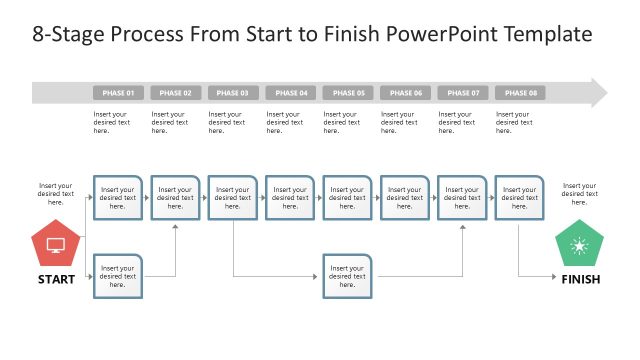
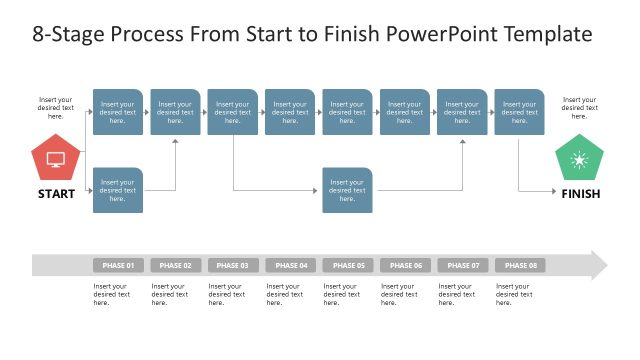
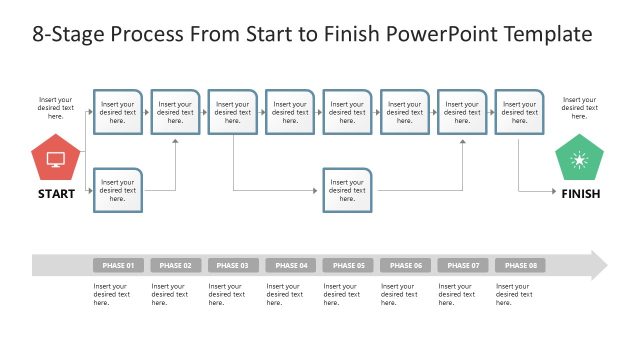
The slide features a horizontal layout with eight phases represented by rectangular shapes. Each phase contains a text placeholder centered within it. At the left, a 'START' icon is positioned below the first phase, while a 'FINISH' icon is located at the right end below the last phase. Connecting arrows indicate the flow from 'START' through each phase to 'FINISH'. Additional text placeholders are placed beneath the 'START' and 'FINISH' icons. The background is light with a subtle gradient, enhancing the visual hierarchy of the phases and icons.
How to Use It
This layout serves as a sequential process diagram, ideal for illustrating step-by-step workflows or project phases. It fits well in presentations that require clarity in process management or change initiatives. Use it to outline business processes, project timelines, or delivery strategies. This structure is effective for training sessions, project kick-offs, or status updates, ensuring audiences can easily follow the progression from initiation to completion.
Text Placeholders & Capacity
Keep your copy within these limits so it fits without resizing. Node labels can accommodate about 30 characters each.
| Placeholder | Count | Max characters (approx.) |
|---|---|---|
| Item heading | 8 | 30 |
| Item body | 8 | 50 |
| Callout | 2 | 30 |
Slide Keywords
Download unlimited PowerPoint templates, charts and graphics for your presentations with our annual plan.
DOWNLOADReturn to 8-Stage Process From Start to Finish PowerPoint Template.