Present diverse angles of a business concept in the corporate training with our 6-Item Concept Infographic PowerPoint Template. We have crafted this 6-item business concept template using 100% editable PowerPoint components. Also, our template design is compatible with Google Slides. Users can change the icons based on their points. This PPT layout can be used in multiple ways:
- The concept infographic is helpful for marketers to discuss marketing channels that can help their brand grow rapidly.
- Project managers can discuss various milestones essential to complete the deliverables before time.
- IT experts present the six networking components using our concept infographic PPT template.
- Students, teachers, and mentors can explain academic concepts in a clear, concise way using our 6-item infographic template.
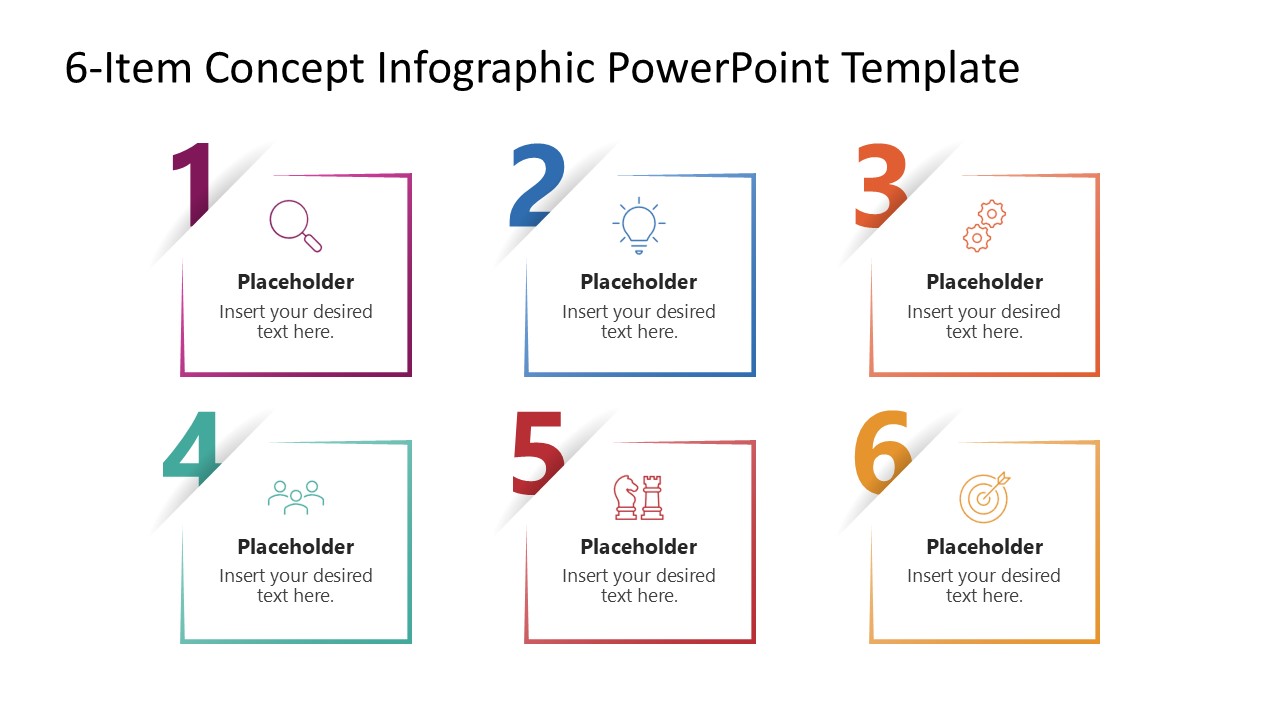
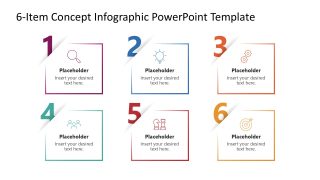
The 6-Item Concept Infographic PowerPoint Template features a six-block diagram. Each block has a colored outline, an infographic icon, and placeholder text. You can write the title and description of the heading by editing the text. The top-left corner of the blocks appears folded; you can mention the step number there. The color of each section corresponds, i.e., the icon, outline, and digit show the same color. Further, users can modify the layout’s graphical arrangement to match their theme needs precisely. They can also repurpose the design for their strategy meetings, management planning, and other marketing presentations. Also, you can use this slide in your pitch decks to explain new business concepts or already-deployed frameworks during investment meetings. Download the 6-item concept infographic slide design for your executive meetings, or visit our collection of infographic slide designs for your business sessions. Grab it today!
What’s inside this template
Example presentation scenarios
- A marketing manager can present six growth channels to executives by placing each channel in one numbered icon card with a short rationale.
- A project manager can explain six milestones to a delivery team using the numbered blocks to show sequence, ownership, or priority.
- A corporate trainer can introduce six principles or behaviors in a workshop by using the equal-size concept blocks as discussion prompts.
- An educator can summarize six academic concepts for students by pairing each placeholder title with a simple icon and concise definition.
Features
- 100% editable presentation template
- Compatible with Microsoft PowerPoint and Google Slides
- 16:9 aspect ratio slides
- Scalable vector shapes, icons and illustrations
- AI-Ready for Microsoft Copilot and Claude
- Instant access and download
Frequently asked questions
Q: How should a presenter write content for the six concept blocks?
A: Keep each block parallel in structure: a short noun phrase as the heading and one concise sentence below it. The slide works best when all six items are the same kind of information, such as channels, milestones, principles, or components. Avoid mixing actions, metrics, and explanations in the same set.
Q: Who is this infographic best suited for?
A: This template is best for presenters who need to explain a compact framework without building a full deck. Marketers can map channels, project leads can list milestones, trainers can introduce learning points, and educators can define related concepts. It is less suited to deep analysis because each card is intentionally brief.
Q: Why does the folded-number design help the audience follow the message?
A: The large corner numbers create an immediate reading path, while the matching color outlines and icons separate the six ideas without adding visual clutter. The folded-corner effect acts like a labeled tab, so the audience can track each point quickly and return to a specific item during discussion.
6-Item Concept Infographic PowerPoint Template
1-slide presentation template for six concept items, numbered blocks, and business idea summaries
The 6-Item Concept Infographic PowerPoint Template is a 1-slide 16:9 infographic diagram for presenting six related ideas. The layout shows six numbered concept blocks with fold-corner accents, outline icons, short headings, and description placeholders. It fits marketers, trainers, project managers, educators, and business presenters using Microsoft PowerPoint or Google Slides.
- Category
- Diagrams
- Rating

 Loading...
- Aspect ratio
- 16:9
- Item ID
- 23379-01
- Colors
 Microsoft PowerPoint
  Microsoft Copilot
  Claude for PowerPoint
 Other formats supported
Subscribe today and get immediate
access to download our PowerPoint templates.