Slide 2 of 2 from 6-Input to 5-Output Diagram Concept PowerPoint Template
6-Input to 5-Output Diagram Concept Template for Presentation
6 Inputs to 5 Outputs Diagram Concept
- Diagram
- Process Flow
- Process Slide
- 16:9
- 100% Editable
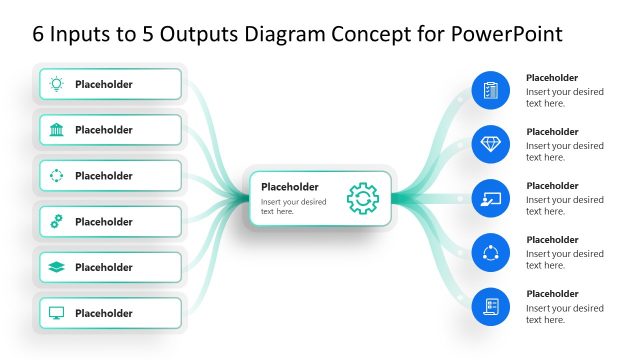
The 6 Inputs to 5 Outputs Diagram slide from the 6-Input to 5-Output Diagram Concept PowerPoint Template offers a clear process flow visualization ideal for business presentations. This slide template uses editable shapes and vector icons to map project workflows and strategic planning steps, making it a practical choice for corporate presentations and pitch deck templates that require detailed input-output relationships.
What’s on This Slide
The layout features a central process block flanked by six input nodes on the left and five output nodes on the right. The input nodes are rectangular with rounded corners, while the output nodes are circular. Curved connector lines flow from each input to the central block and then to each output node, indicating a directional flow. Text placeholders are centrally aligned within the nodes, with additional placeholders for descriptions beneath each node. The background is a gradient blue, enhancing visual separation between elements.
How to Use It
This layout serves as a process flow diagram, illustrating how multiple inputs lead to various outputs. It fits well in presentations discussing project workflows, strategic planning, or problem-solving scenarios. Use it to visually represent the relationship between inputs and outputs in business processes, making complex information easier to digest. This slide is particularly useful in strategy meetings or project kick-offs to clarify roles and deliverables.
Text Placeholders & Capacity
Keep your copy within these limits so it fits without resizing. Node labels can hold about 30 characters, while node bodies can hold around 50 characters each.
| Placeholder | Count | Max characters (approx.) |
|---|---|---|
| Item heading | 11 | 30 |
| Item body | 11 | 50 |
| Slide title | 1 | 50 |
Slide Keywords
Download unlimited PowerPoint templates, charts and graphics for your presentations with our annual plan.
DOWNLOADReturn to 6-Input to 5-Output Diagram Concept PowerPoint Template.