Slide 4 of 6 from 5 Circle Venn Diagram PowerPoint Template
5 Circle Venn Diagram with Infographic Icons
5 Circle Venn Diagram PowerPoint Template
- Diagram
- Venn
- Strategic Analysis Slide
- 16:9
- 100% Editable
What’s on This Slide
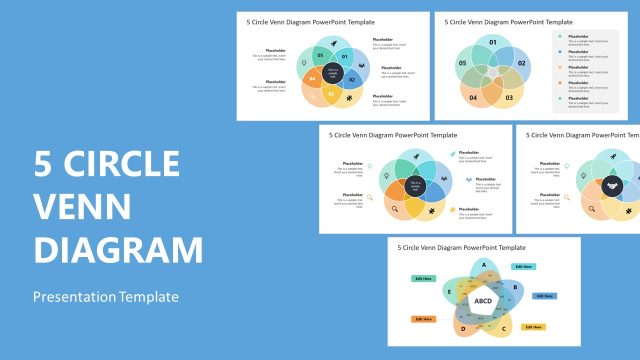
The layout features a central circle surrounded by five overlapping circles, each representing a segment. The central circle is larger and contains a text placeholder, while the surrounding circles are smaller and each has a placeholder for text. Icons are placed adjacent to the circles, enhancing visual interest. The overall color scheme includes soft pastels, with each circle in a different hue. The placeholders are aligned within the circles and are visually distinct, contributing to a clear hierarchy. The background is plain, allowing the diagram to stand out.
How to Use It
This layout serves as a multi-faceted comparison tool, ideal for illustrating relationships among five concepts or categories. It fits well in presentations that require visualizing complex interactions or overlaps. Common scenarios include product feature comparisons, strategic analysis, or brainstorming sessions. The diagram can be used to highlight synergies or shared characteristics among different elements, making it effective for team discussions or project planning.
Text Placeholders & Capacity
Keep your copy within these limits so it fits without resizing. Each segment can hold about 50 characters, while the central node can hold roughly 100 characters.
| Placeholder | Count | Max characters (approx.) |
|---|---|---|
| Item body | 5 | 50 |
| Item body | 1 | 100 |
Slide Keywords
Download unlimited PowerPoint templates, charts and graphics for your presentations with our annual plan.
DOWNLOADReturn to 5 Circle Venn Diagram PowerPoint Template.