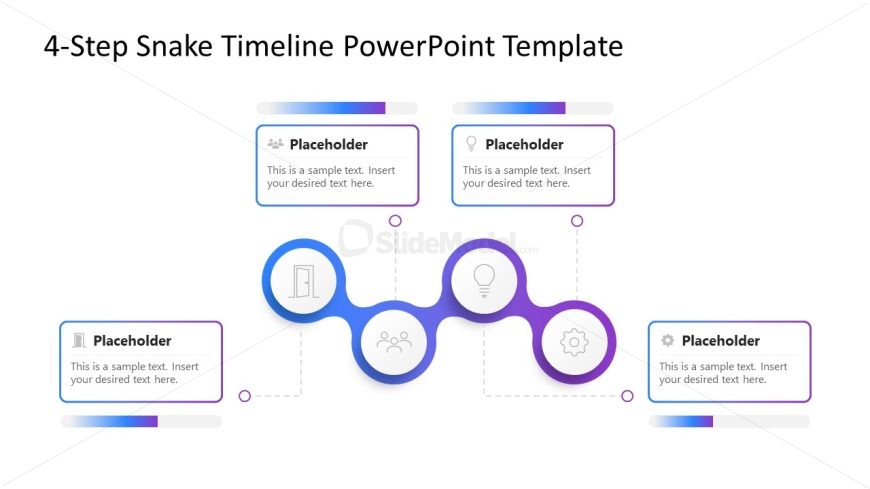
Slide 1 of 2 from 4-Step Snake Timeline PowerPoint Template
4-Step Snake Timeline Diagram Template
4-Step Snake Timeline Template Overview
- Diagram
- Snake
- Timeline Slide
- 16:9
- 100% Editable
The 4-Step Snake Timeline slide from the 4-Step Snake Timeline PowerPoint Template offers a clear visual sequence ideal for project planning and process mapping. This slide layout uses editable shapes and vector icons arranged in a snake-like diagram to represent four distinct phases, making it suitable for business presentations and corporate slide decks that require a structured timeline.
What’s on This Slide
The layout features a central snake-like diagram with four circular nodes connected by lines. Each node is positioned along a horizontal path, with two nodes on the top and two on the bottom. Above each top node, there are rectangular placeholders for text, aligned centrally. The bottom nodes are larger and contain icons representing different concepts. Text placeholders are present in each rectangle and are aligned with the nodes. The background is white, with a gradient color scheme of purple and blue accents enhancing the visual hierarchy.
How to Use It
This layout serves as a timeline to illustrate a sequence of four steps or phases. It is suitable for presentations that require a clear chronological flow, such as project planning or process mapping. This slide fits well after an introductory slide, providing a visual representation of progression. It can be used in business contexts to outline project milestones, product development stages, or career paths, making it versatile for various planning scenarios.
Text Placeholders & Capacity
Keep your copy within these limits so it fits without resizing. Node body slots can hold approximately 15-20 words each.
| Placeholder | Count | Max characters (approx.) |
|---|---|---|
| Item heading | 4 | 40 |
| Item body | 4 | 100 |
Slide Keywords
Download unlimited PowerPoint templates, charts and graphics for your presentations with our annual plan.
DOWNLOADReturn to 4-Step Snake Timeline PowerPoint Template.