Slide 2 of 5 from 4 Step Creative Diagram Template for PowerPoint
Generic Diagram Presentation of 4 Segments
4 Step Creative Diagram for Presentations
- Diagram
- Venn
- Process Slide
- 16:9
- 100% Editable
What’s on This Slide
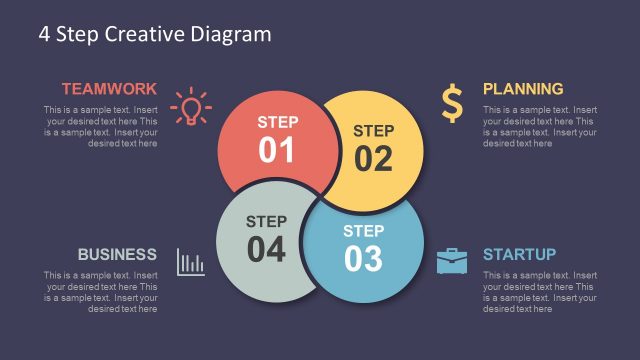
The layout features four circular nodes arranged in a Venn diagram style. The first node, positioned at the top left, is highlighted in red and labeled 'STEP 01.' The remaining nodes are gray and labeled 'STEP 02,' 'STEP 03,' and 'STEP 04.' To the right, there is a rectangular text box with a light bulb icon above it. This box contains a title placeholder labeled 'TEAMWORK' and a body text placeholder below it. The background is a dark blue color, providing contrast with the lighter node colors.
How to Use It
This layout serves as a process diagram, illustrating a four-step sequence. It is suitable for presentations that require a clear visual representation of stages in a process or workflow. This structure works well in business contexts, such as project management, team collaboration, or strategic planning. It can be used to highlight key steps in a project or to outline phases in a creative process, fitting seamlessly between introductory and detailed content slides.
Text Placeholders & Capacity
Keep your copy within these limits so it fits without resizing. Node labels can hold about 10 characters each, while the body text can accommodate around 100 characters.
| Placeholder | Count | Max characters (approx.) |
|---|---|---|
| Slide title | 1 | 30 |
| Item heading | 4 | 10 |
| Item body | 4 | 100 |
| Callout | 1 | 30 |
Slide Keywords
Download unlimited PowerPoint templates, charts and graphics for your presentations with our annual plan.
DOWNLOAD