Slide 3 of 5 from 4-Option Vertical Fluid Concept PowerPoint Template
4-Option Vertical Fluid Concept Presentation Template
4-Option Vertical Fluid Concept Diagram for PowerPoint
- Diagram
- Arrow Sequence
- Process Slide
- 16:9
- 100% Editable
About This Slide
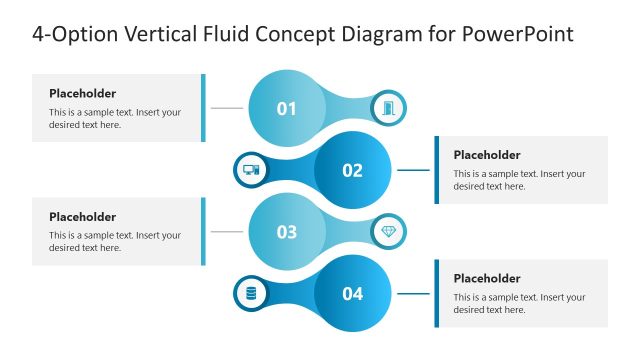
The image shows a PowerPoint slide titled “4-Option Vertical Fluid Concept Diagram for PowerPoint”. This slide features a vertically aligned diagram composed of four circular nodes, each interconnected to illustrate a fluid progression or sequence. Each node is numbered, with the second node “02” being highlighted in a vibrant blue color, drawing attention to this specific step in the sequence.
The highlighted second node is adorned with a contrasting icon that appears to symbolize a computer or screen, perhaps indicating this step involves a digital process or analysis. A text box adjacent to this node contains placeholder text, suggesting the user can customize this area with their own content, relevant to the diagram’s step.
The remaining nodes, numbered “01”, “03”, and “04”, are shaded in grayscale, indicating they are subsequent or preceding steps. These nodes are paired with unique icons — a document, a shield, and a microphone, respectively — which could represent different stages or elements such as planning, security, and communication in the process being visualized.
This type of diagram could be applied in business or educational settings to depict a workflow, explain a step-by-step process, or to showcase a series of events or tasks. Its design is meant to be intuitive and user-friendly, allowing for easy customization to fit a variety of presentation needs. The slide’s clean and professional layout makes it suitable for conveying complex information in a straightforward and visually engaging manner.
What’s on This Slide
The slide features a vertical fluid concept diagram with four circular nodes. The first, third, and fourth nodes are gray, while the second node is highlighted in blue. Each node contains an icon: a laptop, a diamond, and a database, respectively. The second node has a placeholder for text positioned to the right, aligned horizontally. The overall layout is linear, with connecting lines between the nodes, emphasizing a flow from one to the next. The title is prominently displayed at the top of the slide.
How to Use It
This layout serves as a process diagram, effectively illustrating a sequence of four steps or phases. It is suitable for presentations that outline project activities, action plans, or key concepts in a clear and structured manner. This slide fits well in the middle of a presentation, following introductory content and leading into detailed explanations of each step. It can be used in business contexts to convey project benefits or phases of implementation.
Text Placeholders & Capacity
Keep your copy within these limits so it fits without resizing. Node body slots can accommodate around 15-20 words each.
| Placeholder | Count | Max characters (approx.) |
|---|---|---|
| Slide title | 1 | 40 |
| Item heading | 4 | 10 |
| Item body | 1 | 100 |
Slide Keywords
Download unlimited PowerPoint templates, charts and graphics for your presentations with our annual plan.
DOWNLOADReturn to 4-Option Vertical Fluid Concept PowerPoint Template.