Slide 3 of 5 from 4-Item Tabbed Menu PowerPoint Template
Slide for Tab 2 – 4-Item Tabbed Menu PowerPoint Template
4-Item Vertical Tabbed Menu Template
- Text Layout
- Other
- Context Slide
- 16:9
- 100% Editable
What’s on This Slide
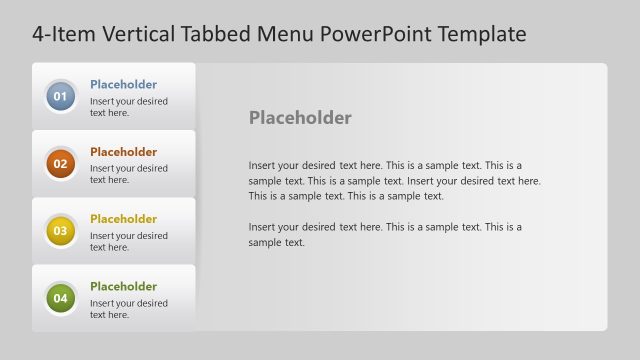
The layout features a vertical tabbed menu on the left side, containing four circular buttons labeled 01, 02, 03, and 04. The second button is highlighted in orange, indicating selection. To the right, there is a large text placeholder for detailed content, with sample text included. The background is a light gray gradient, providing contrast to the tabbed menu. Each tab is visually separated, and the overall composition emphasizes the selected tab, guiding the viewer's focus. The text placeholders are aligned with the tabs for clarity.
How to Use It
This layout serves as a vertical tabbed menu, ideal for presenting multiple sections of content in a structured manner. It fits well in a presentation sequence where navigation between topics is necessary, such as product features or service offerings. This format is useful in business scenarios like project updates, training modules, or interactive presentations where users can easily switch between topics. It allows for clear organization of information while maintaining audience engagement.
Text Placeholders & Capacity
Keep your copy within these limits so it fits without resizing. Body slot can hold approximately 40-50 words comfortably.
| Placeholder | Count | Max characters (approx.) |
|---|---|---|
| Item heading | 4 | 2 |
| Body paragraph | 1 | 300 |
Slide Keywords
Download unlimited PowerPoint templates, charts and graphics for your presentations with our annual plan.
DOWNLOADReturn to 4-Item Tabbed Menu PowerPoint Template.