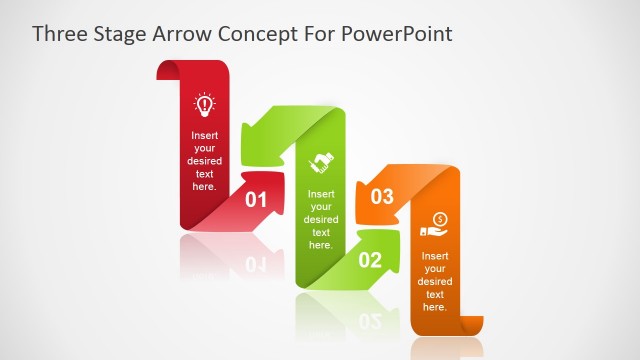
Slide 2 of 2 from 3 Steps Pointing Arrows Concept PowerPoint Diagram
3 Steps Pointing PowerPoint
3 Steps Arrow Diagram for Presentations
- Diagram
- Arrow Sequence
- Process Slide
- 16:9
- 100% Editable
The 3 Steps Arrow Diagram from the 3 Steps Pointing Arrows Concept PowerPoint Diagram template offers a clear visual process layout ideal for business presentations. This slide template features three horizontally oriented arrows with icons and numbers, designed to illustrate project steps or strategic planning phases. Its editable shapes and vector icons make it suitable for corporate presentations requiring a straightforward progression of ideas, enhancing clarity in pitch decks and slide decks.
What’s on This Slide
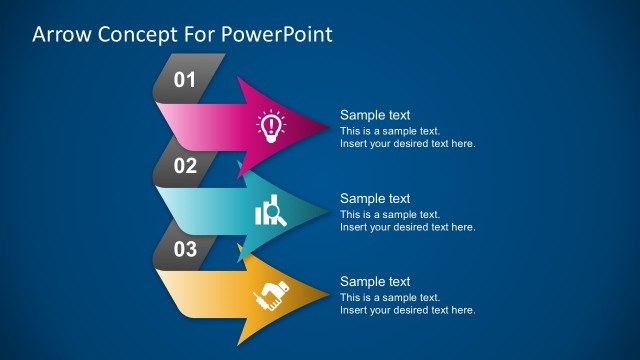
The layout features three large, horizontally oriented arrows pointing right, each containing a number and an icon. The first arrow is pink, the second is blue, and the third is yellow. Each arrow has a text placeholder positioned below it, aligned to the left. The arrows are stacked vertically with equal spacing, and the background is a solid blue color. The visual hierarchy emphasizes the arrows, with the numbers prominently displayed at the top of each arrow. Icons representing ideas, research, and collaboration are included within the arrows.
How to Use It
This layout serves as a sequential process diagram, ideal for outlining steps or phases in a project. It fits well in presentations that require a clear progression of ideas, such as project planning or strategic initiatives. This structure is useful in business contexts where visual clarity is essential, such as team meetings or stakeholder updates. It can be employed to guide audiences through a narrative or framework, ensuring each step is easily understood.
Text Placeholders & Capacity
Keep your copy within these limits so it fits without resizing. Node body slots can hold roughly 15-20 words each.
| Placeholder | Count | Max characters (approx.) |
|---|---|---|
| Item heading | 3 | 20 |
| Item body | 3 | 100 |
Slide Keywords
Download unlimited PowerPoint templates, charts and graphics for your presentations with our annual plan.
DOWNLOADReturn to 3 Steps Pointing Arrows Concept PowerPoint Diagram.