Slide 1 of 2 from 2-Arrow Comparison PowerPoint Template
2 Arrow Comparison Template
2-Arrow Comparison Concept for Presentations
- Diagram
- Comparison Split
- Comparison Slide
- 16:9
- 100% Editable
What’s on This Slide
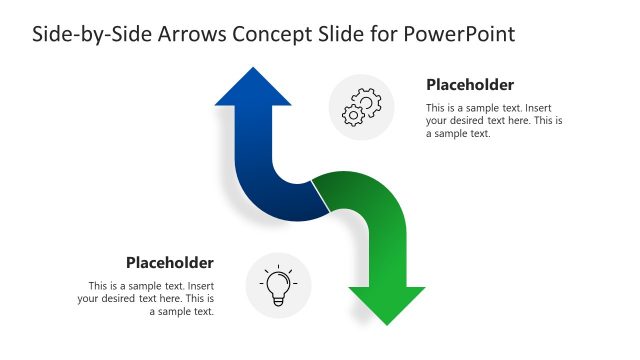
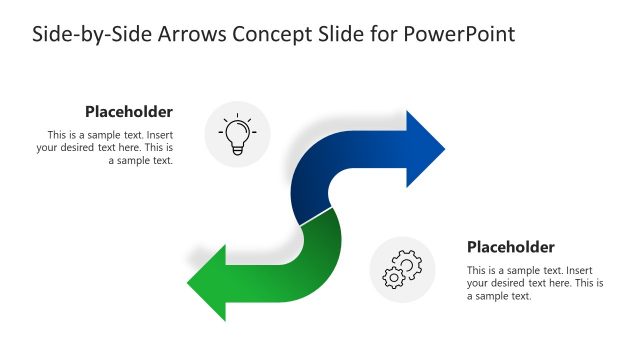
The layout features two arrows, one pointing upwards and the other downwards, creating a zigzag pattern. The left arrow is purple with a dollar sign icon, while the right arrow is green with a briefcase icon. Each arrow has a placeholder for text, positioned centrally within the arrow shapes. The title is positioned at the top center, while additional placeholders are located below each arrow. The background is light gray, providing contrast to the vibrant arrows. The overall composition emphasizes the comparison between the two concepts represented by the arrows.
How to Use It
This layout serves as a comparison diagram, ideal for illustrating two contrasting ideas or options. It fits well in presentations discussing decision-making, project comparisons, or strategic choices. The zigzag structure visually guides the audience through the comparison, making it effective for business scenarios where clear distinctions are necessary. Use this slide when presenting alternatives, benefits, or features side by side to facilitate understanding and decision-making.
Text Placeholders & Capacity
Keep your copy within these limits so it fits without resizing. Node body slots can hold about 10 words each.
| Placeholder | Count | Max characters (approx.) |
|---|---|---|
| Slide title | 1 | 40 |
| Item body | 2 | 50 |
| Item heading | 2 | 20 |
Slide Keywords
Download unlimited PowerPoint templates, charts and graphics for your presentations with our annual plan.
DOWNLOADReturn to 2-Arrow Comparison PowerPoint Template.