Slide 4 of 4 from Free What Went Well Slide Template for PowerPoint
Free Summary Slide for What Went Well for PPT
What Went Well Slide Template Overview
- Text Layout
- List Blocks
- Evaluation Slide
- 16:9
- 100% Editable
The What Went Well Analysis slide layout from the Free What Went Well Slide Template for PowerPoint is designed for effective evaluations. This editable slide features three distinct sections that facilitate team retrospectives and project evaluations, allowing users to clearly differentiate between successes and areas for improvement. Ideal for stakeholder feedback sessions, this layout enhances clarity in business presentations.
What’s on This Slide
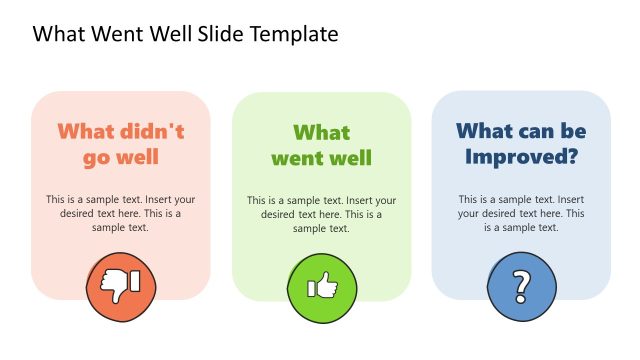
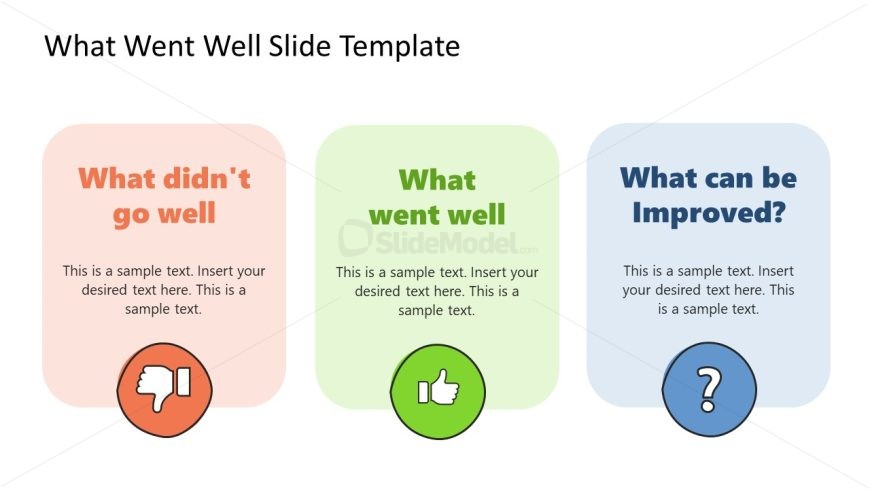
The layout features three distinct sections arranged horizontally. The left section, labeled 'What didn't go well,' is colored in light pink and contains a thumbs-down icon. The center section, titled 'What went well,' is green with a thumbs-up icon. The right section, labeled 'What can be Improved?' is blue and includes a question mark icon. Each section has a text placeholder for content, aligned centrally within its colored background. The overall composition is balanced, with equal spacing between sections.
How to Use It
This layout serves as a comparative analysis tool, ideal for summarizing feedback or evaluations. It fits well in a presentation sequence that addresses performance reviews or project assessments. Scenarios include team retrospectives, project debriefs, or stakeholder meetings where insights on successes and areas for improvement are discussed. The structure allows for clear visual differentiation of positive and negative aspects.
Text Placeholders & Capacity
Keep your copy within these limits so it fits without resizing. Node body slots can hold roughly 15-20 words each.
| Placeholder | Count | Max characters (approx.) |
|---|---|---|
| Slide title | 1 | 30 |
| Item heading | 3 | 25 |
| Item body | 3 | 100 |
Slide Keywords
Download unlimited PowerPoint templates, charts and graphics for your presentations with our annual plan.
DOWNLOADReturn to Free What Went Well Slide Template for PowerPoint.