Slide 6 of 7 from Free Professional Design Layouts PowerPoint Templates
Template of Creative 4 Step Process
Multi-Segment Comparison Layout for Presentations
- Diagram
- Matrix Quadrant
- Comparison Slide
- 16:9
- 100% Editable
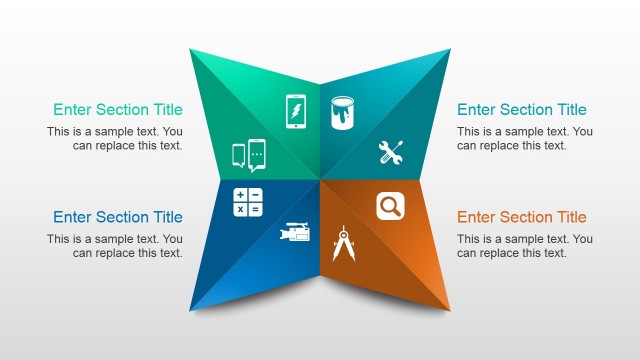
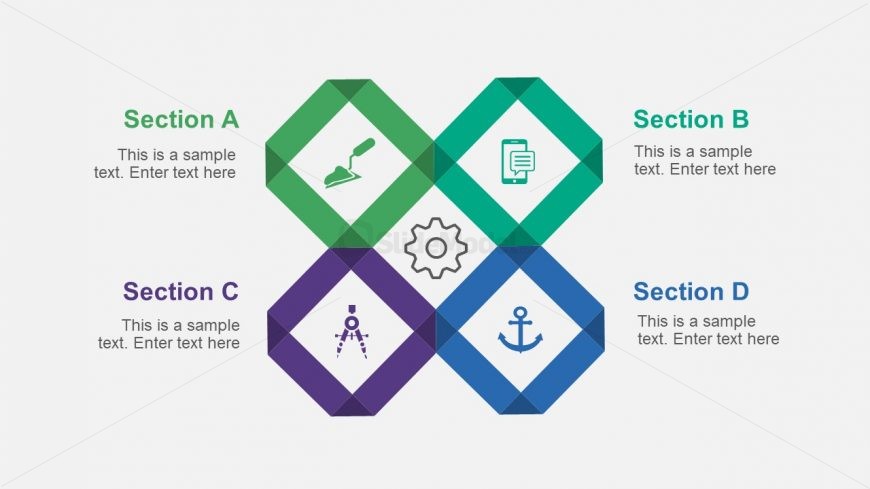
The Multi-Segment Comparison Layout from the Free Professional Design Layouts PowerPoint Templates offers a structured diamond-shaped grid ideal for detailed project comparisons and feature breakdowns. This slide template supports clear communication of strategic initiatives or educational topics by dividing content into four equal, visually distinct sections with editable shapes and vector icons. Its balanced design enhances comprehension in business presentations and pitch deck templates, making it a versatile choice for professional slide decks.
What’s on This Slide
The layout features a diamond-shaped grid divided into four equal sections. Each section contains a title placeholder at the top and a sample text placeholder below it. The sections are arranged in a 2x2 format, with icons positioned centrally within each diamond shape. The icons represent different themes and are visually distinct. The background is light, enhancing the visibility of the colored diamonds, which are in green, blue, purple, and teal. The overall composition is symmetrical, emphasizing the equal importance of each section.
How to Use It
This layout serves as a multi-segment comparison tool, ideal for presenting four related concepts or categories. It fits well in a presentation sequence after introducing a topic, allowing for detailed exploration of each segment. This structure is useful in business contexts such as project comparisons, product features, or strategic initiatives. It can also be employed in educational settings to break down complex subjects into manageable parts, facilitating clearer understanding and engagement.
Text Placeholders & Capacity
Keep your copy within these limits so it fits without resizing. Each section can hold a title and a paragraph of text, roughly 15-20 words each.
| Placeholder | Count | Max characters (approx.) |
|---|---|---|
| Item heading | 4 | 30 |
| Item body | 4 | 100 |
Slide Keywords
Download unlimited PowerPoint templates, charts and graphics for your presentations with our annual plan.
DOWNLOADReturn to Free Professional Design Layouts PowerPoint Templates.