Slide 8 of 13 from Free Meetup PowerPoint Template
Main Talking Points Slide with Icons & Gradient Scheme
Main Talking Points Diagram for Presentations
- Diagram
- Circular Cycle
- Context Slide
- 16:9
- 100% Editable
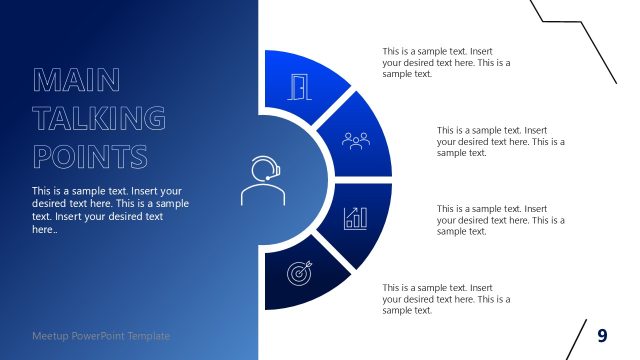
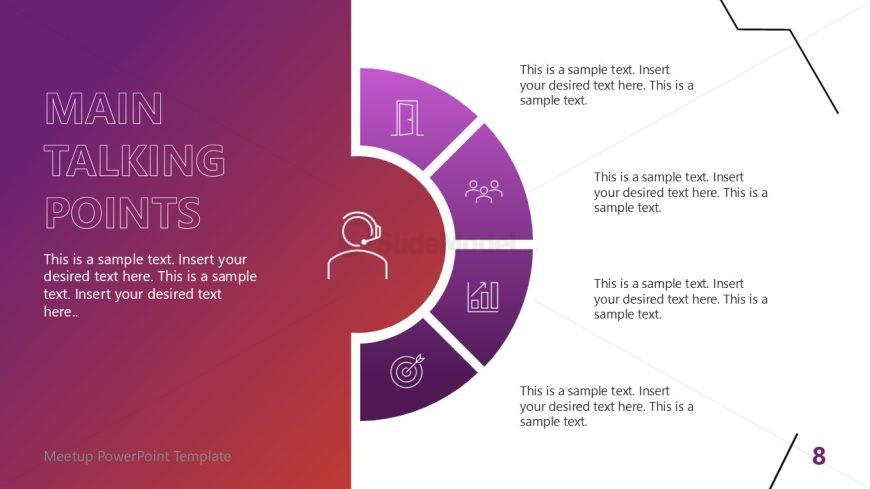
The Main Talking Points Diagram from the Free Meetup PowerPoint Template offers a visually engaging way to summarize key points in business presentations and educational discussions. This circular diagram, featuring five segments with icons and text placeholders, enhances communication by clearly highlighting main ideas. Its appealing gradient background and structured layout make it an ideal choice for effective presentations.
What’s on This Slide
The slide features a circular diagram divided into five segments, each containing an icon and a text placeholder. The central area displays a circular shape with a headset icon, indicating a focus on communication. The segments are arranged in a semi-circle, with each segment positioned at equal intervals. Text placeholders are aligned to the right of each segment, allowing for detailed descriptions. The background transitions from purple to a lighter gradient, enhancing visual appeal. Icons include a door, people, a graph, and a target, contributing to the overall theme.
How to Use It
This layout serves as a visual representation of key talking points in a presentation. It is suitable for summarizing main ideas or topics during discussions. Positioned after an introductory slide, it effectively transitions into detailed content. This structure is beneficial in business meetings, workshops, or conferences where clear communication of main ideas is essential. It can also be adapted for educational settings to highlight important concepts or themes.
Text Placeholders & Capacity
Keep your copy within these limits so it fits without resizing. Node body slots can hold roughly 15-20 words each.
| Placeholder | Count | Max characters (approx.) |
|---|---|---|
| Slide title | 1 | 30 |
| Item body | 5 | 80 |
Slide Keywords
Download unlimited PowerPoint templates, charts and graphics for your presentations with our annual plan.
DOWNLOADReturn to Free Meetup PowerPoint Template.