Slide 4 of 13 from Free Meetup PowerPoint Template
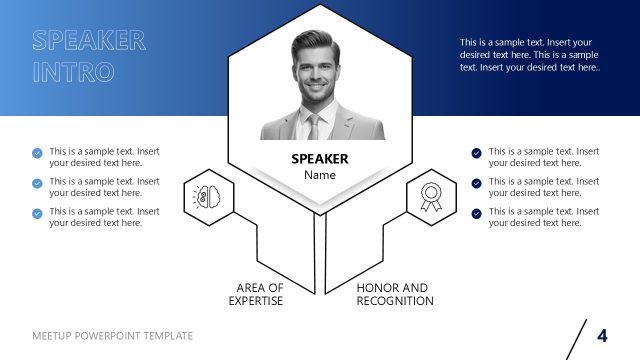
Speaker Intro Slide with Hexagon Shapes
Speaker Introduction Slide for Presentations
- Text Layout
- Other
- Context Slide
- 16:9
- 100% Editable
The Speaker Introduction Layout from the Free Meetup PowerPoint Template is designed to effectively showcase a speaker's credentials and expertise. This layout features a visually appealing gradient background and structured sections that enhance engagement during business presentations or educational settings. With placeholders for images and text, it allows for a professional introduction, making it a valuable addition to any slide deck.
What’s on This Slide
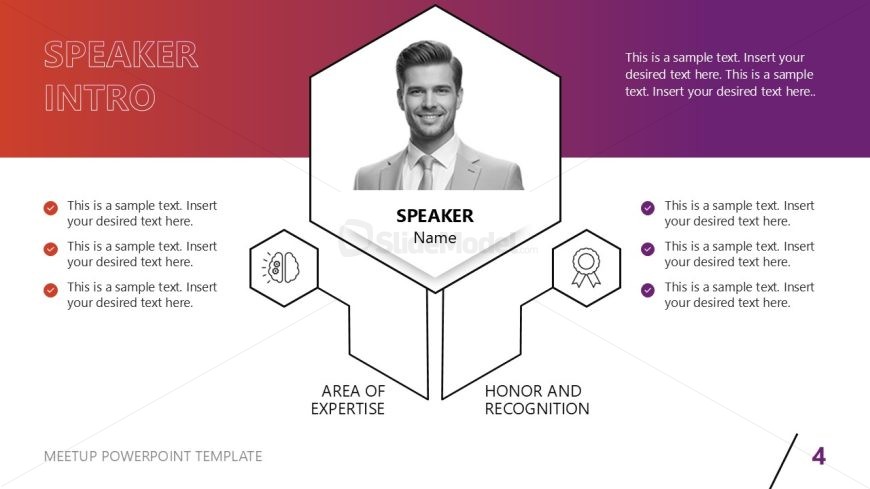
The layout features a hexagonal shape centered at the top with a placeholder for an image of the speaker. Below the image, there are text placeholders labeled 'SPEAKER' and 'Name'. Two branching sections extend downward, labeled 'AREA OF EXPERTISE' and 'HONOR AND RECOGNITION'. Each section contains multiple text placeholders for additional details. The background transitions from red to purple, creating a gradient effect. Icons accompany the text placeholders, enhancing the visual hierarchy. The overall composition is symmetrical, with elements evenly spaced.
How to Use It
This layout serves to introduce a speaker in a presentation, effectively highlighting their credentials and expertise. It fits well after an agenda slide, providing context for the audience. This structure is useful in business meetings, conferences, or webinars where speaker profiles are essential. It can also be adapted for educational settings to introduce guest lecturers or industry experts. The clear organization aids in audience engagement and understanding of the speaker's background.
Text Placeholders & Capacity
Keep your copy within these limits so it fits without resizing. Node body slots can hold about 10-12 words each.
| Placeholder | Count | Max characters (approx.) |
|---|---|---|
| Slide title | 1 | 30 |
| Item heading | 2 | 20 |
| Item body | 6 | 50 |
Slide Keywords
Download unlimited PowerPoint templates, charts and graphics for your presentations with our annual plan.
DOWNLOADReturn to Free Meetup PowerPoint Template.