Slide 9 of 15 from Free Gradient PowerPoint Background
Editable Line Chart Slide for PPT
Line Chart for Data Visualization
- Chart
- Line Chart
- Evaluation Slide
- 16:9
- 100% Editable
What’s on This Slide
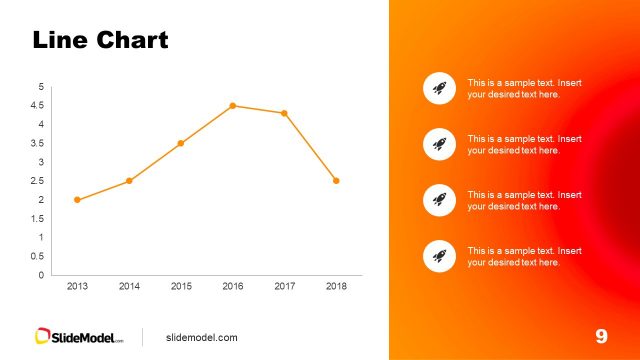
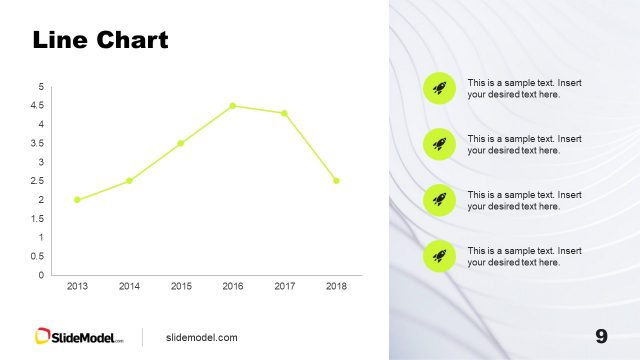
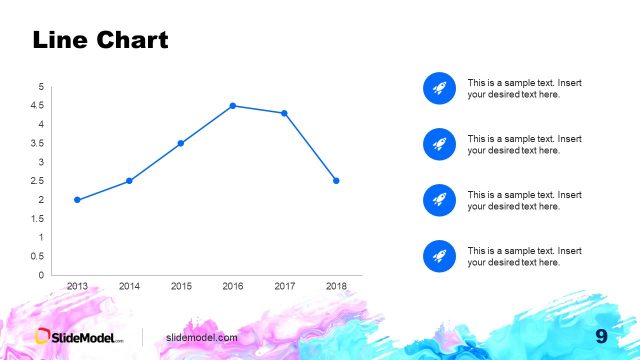
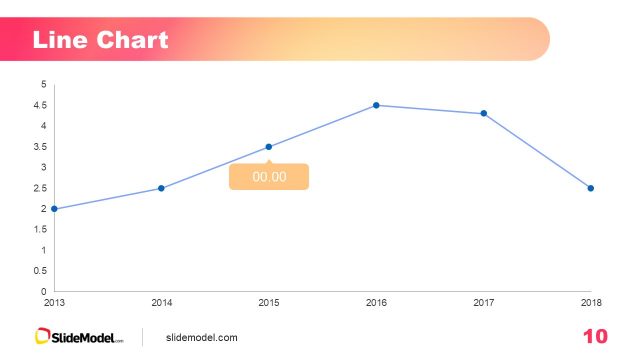
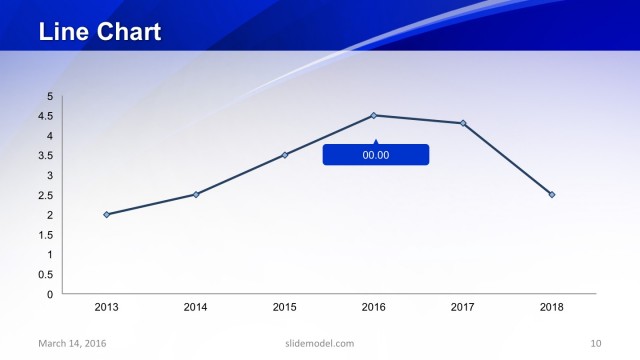
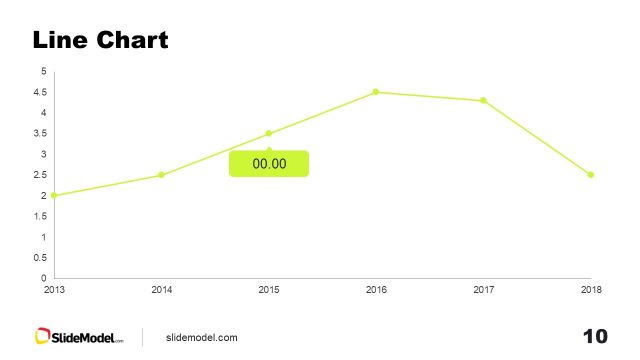
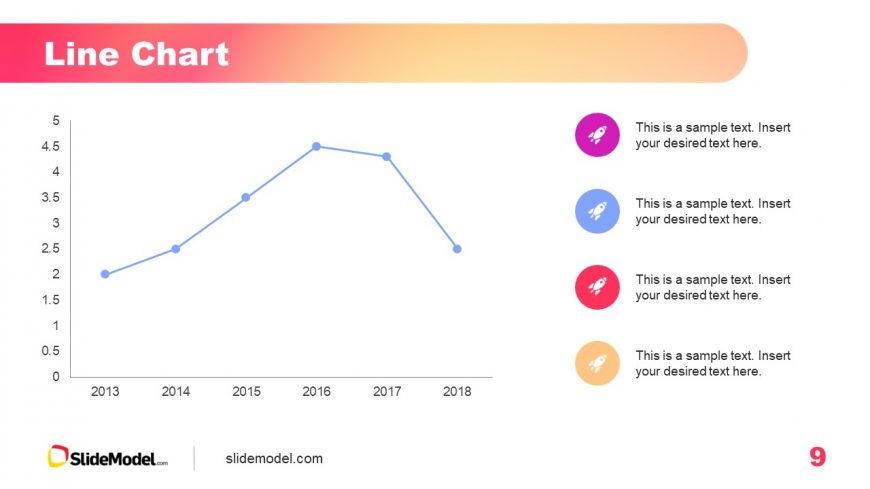
The slide features a line chart positioned centrally, showing data points connected by a blue line. The vertical axis ranges from 0 to 5, while the horizontal axis spans from 2013 to 2018. Below the chart, there are five circular icons in different colors, each accompanied by a text placeholder for descriptions. The title is prominently displayed at the top in bold, with a gradient background transitioning from pink to orange. Text placeholders are aligned centrally below the icons, maintaining a clear visual hierarchy.
How to Use It
This layout serves to present trends or changes over time using a line chart format. It is suitable for business presentations that require data analysis, such as performance metrics or sales trends. This slide fits well after problem identification and before proposing solutions, helping to visualize data effectively. It can be used in various contexts, including financial reports, project updates, or market analysis.
Text Placeholders & Capacity
Keep your copy within these limits so it fits without resizing. Node body slots can hold about 10 words each.
| Placeholder | Count | Max characters (approx.) |
|---|---|---|
| Slide title | 1 | 30 |
| Item body | 5 | 50 |
Slide Keywords
Download unlimited PowerPoint templates, charts and graphics for your presentations with our annual plan.
DOWNLOADReturn to Free Gradient PowerPoint Background.