Slide 6 of 8 from Free Business Slides for PowerPoint
Horizontal Business Timeline Template
Three-Step Process Diagram for Presentations
- Diagram
- Arrow Sequence
- Process Slide
- 16:9
- 100% Editable
The Three-Step Process Diagram from the Free Business Slides for PowerPoint template offers a clear layout to illustrate sequential phases in project management or strategic planning. This slide uses editable shapes and vector icons arranged horizontally to depict workflow steps, making it a practical choice for corporate presentations or pitch deck templates requiring structured process visualization.
What’s on This Slide
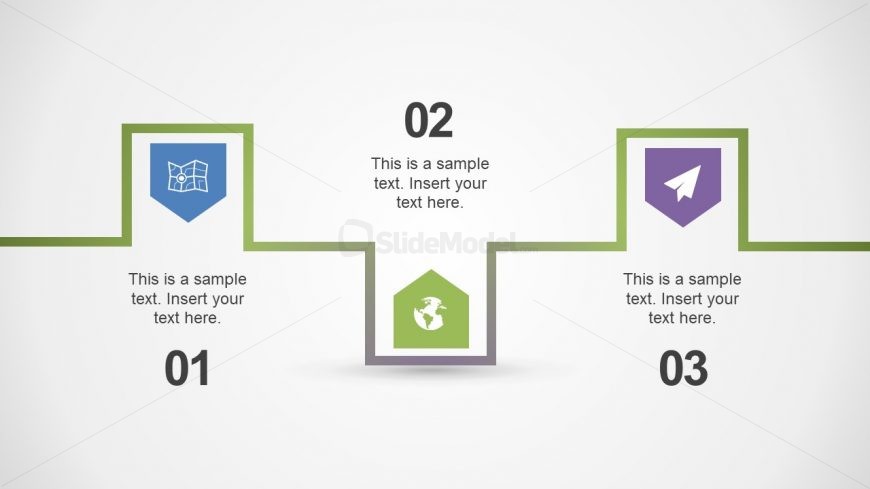
The layout features three distinct sections arranged horizontally. Each section contains a colored icon, a number label, and a text placeholder. The leftmost section has a blue map icon, the center section features a green globe icon, and the rightmost section displays a purple paper plane icon. The sections are connected by green lines, creating a flow between them. The text placeholders are centrally aligned beneath each icon, allowing for descriptive content. The overall background is light, enhancing visibility and focus on the elements.
How to Use It
This layout serves as a three-step process diagram, ideal for illustrating sequential actions or stages. It fits well in presentations discussing project phases, strategic plans, or workflows. Each section can represent a key step, making it suitable for business scenarios like project management, product development, or marketing strategies. This layout can also be utilized to summarize processes in training sessions or workshops, providing clarity and structure to the information presented.
Text Placeholders & Capacity
Keep your copy within these limits so it fits without resizing. Node body slots can hold roughly 40 characters each.
| Placeholder | Count | Max characters (approx.) |
|---|---|---|
| Item heading | 3 | 2 |
| Item body | 3 | 40 |
Slide Keywords
Download unlimited PowerPoint templates, charts and graphics for your presentations with our annual plan.
DOWNLOADReturn to Free Business Slides for PowerPoint.